
Furnishing a Podcast or Recording Studio: Acoustic-Friendly Desks, Chairs, and Soundproofing Furniture
- 15 Oct, 2026
- Guides
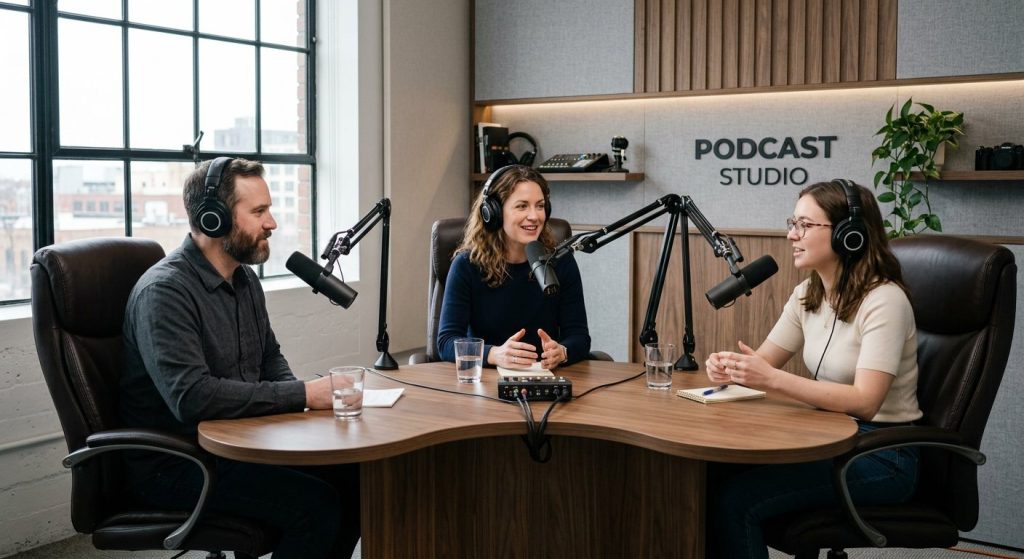
Podcast studio furniture needs to do three things regular office furniture doesn’t: hold a mic arm without picking up vibration, route cables and power invisibly, and avoid hard flat surfaces that bounce sound back into the mics. Get the desk shape and chair right for your host count and room, and the rest of the acoustic treatment becomes much easier.
Key takeaways
- Match desk shape to host count and camera distance: straight for 1-2 hosts, curved for 3-4, U-shape or modular clusters for 5+.
- Surface material matters more than color for audio quality; matte wood and fabric diffuse sound while glass and glossy laminate reflect it back into the mic.
- Plan every cable run and mic-arm clamp location before ordering a desk, not after it arrives.
- Chair noise, from mechanisms and from caster wheels on hard flooring, causes more recurring audio problems than most hosts expect.
- Custom OEM/ODM manufacturing is worth considering when your room shape or host count doesn’t fit a standard catalogue desk.
What Actually Makes a Desk ‘Podcast-Ready’?
A desk that looks great in a product photo can still wreck a recording. Before you compare finishes or price tags, run any desk through this checklist.
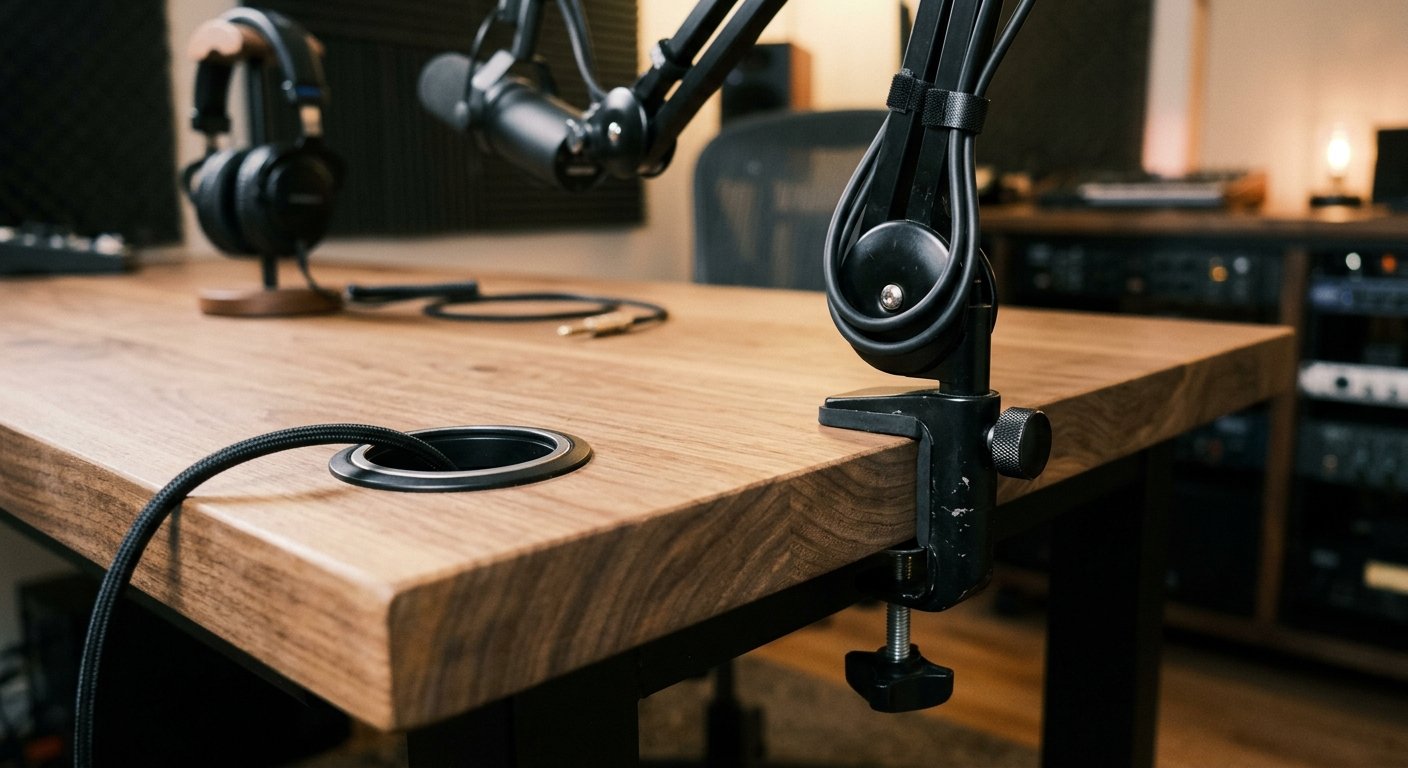
- Mic arm mounting: the edge needs to be thick enough and rigid enough for a clamp-compatible boom arm. A thin or flexing edge transmits every desk tap straight into the capsule.
- Cable routing: grommets or built-in channels keep XLR and USB cables off-camera and away from the mic, instead of taped down or dangling in frame.
- Surface material over surface color: hard laminate and glass reflect sound back toward the mic. Textured wood and matte finishes diffuse it instead. This matters more than whatever color matches your branding.
- Layout flexibility: a desk you can reconfigure as your host count changes is worth more long-term than one built for exactly three seats and nothing else.
If a desk fails more than one of these, it’s an office desk wearing a podcast-table label. For general desk-buying fundamentals outside the studio context, see this guide to selecting an efficient desk.
How Many Hosts? Choosing a Layout: Straight, Curved, or U-Shape
Pick the shape based on camera distance and host count, not on what looks sleek in a render. Measure your room first. The shape that fits your camera, not the other way around, is the one that works.
- Straight desks (1-2 hosts): simplest camera setup, works fine for a single front-facing camera. Awkward past two people, since hosts end up talking past each other instead of toward the lens.
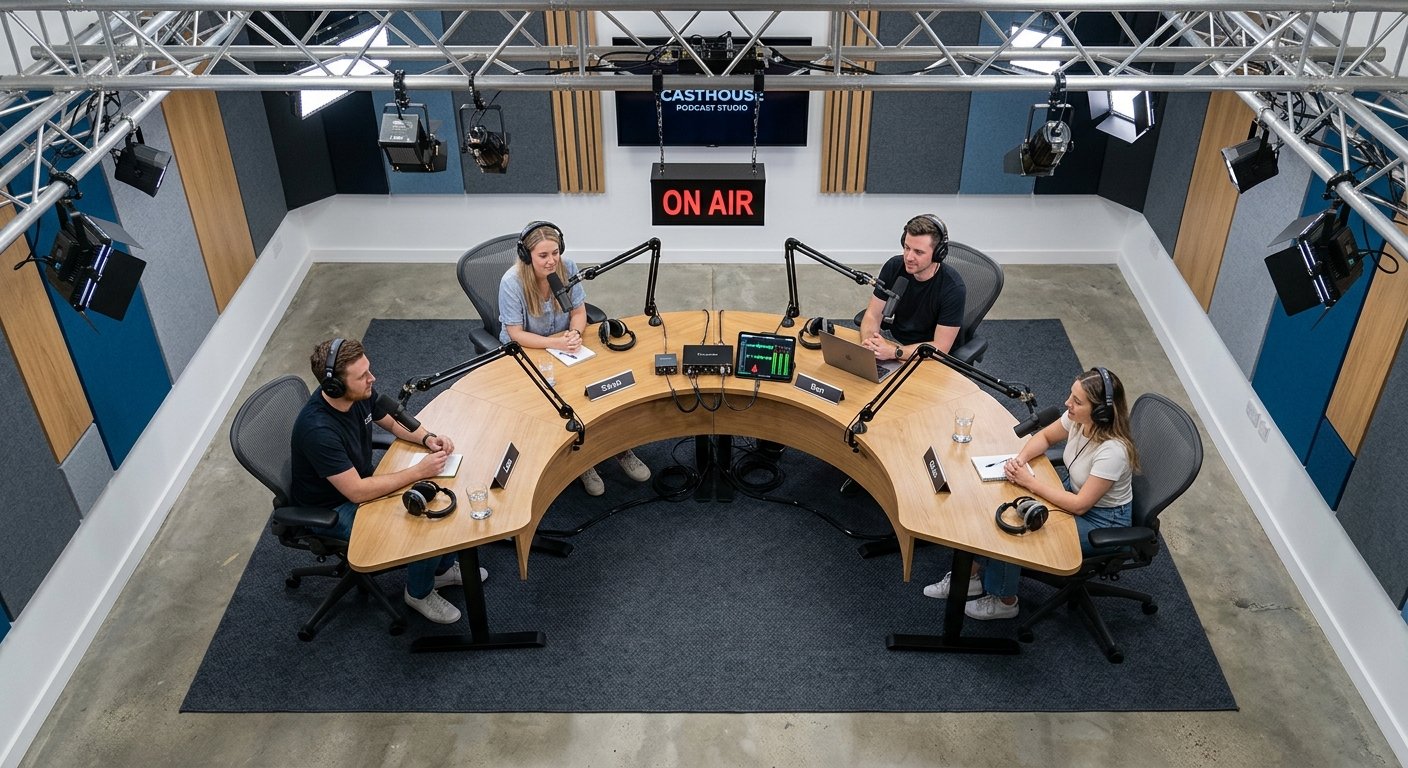
- Curved or arc desks (3-4 hosts): angle hosts slightly inward so one wide camera captures every face without multiple camera positions. This is the sweet spot for most interview-format shows.
- U-shape or modular clusters (5+ hosts, panel shows): each host can face a dedicated camera, but you need more floor space and more acoustic control, since every extra desk surface is another reflective plane near a mic.
Imagine a buyer planning a four-host weekly interview show in a 12-by-14-foot room. A straight desk forces two hosts to turn sideways toward the camera; a curved desk solves that without adding a single extra camera.
Why Your Desk Can Ruin Your Audio Before the Mic Even Picks It Up
Sound reflects off any hard, flat, parallel surface near a mic. A glossy or glass-top desk bounces the host’s own voice straight back into the capsule, creating that hollow, boxy sound editors spend hours trying to EQ away. Soft or textured materials, fabric-wrapped panels, upholstered edges, or solid wood with a matte finish absorb or scatter that reflection instead of mirroring it.
Desk height relative to mic height matters more than most people realize. If the mic sits very close to a hard surface, the reflected sound arrives almost in phase with the direct sound, creating comb filtering, an audible thin or phasey tone that’s hard to fix in post. You’ll hear it as a slightly metallic, hollow quality on close-mic’d voice.
The furniture fix isn’t bolting panels on after the fact. It’s breaking up flat surfaces at the source: angled desk fronts, fabric inlays set into the surface, or a felt or foam strip tucked under the mic arm clamp. These cost far less than retreating a whole wall and solve the problem closer to where it actually happens.
Beyond the Desk: Screens, Panels, and Soft Furniture as Sound Control
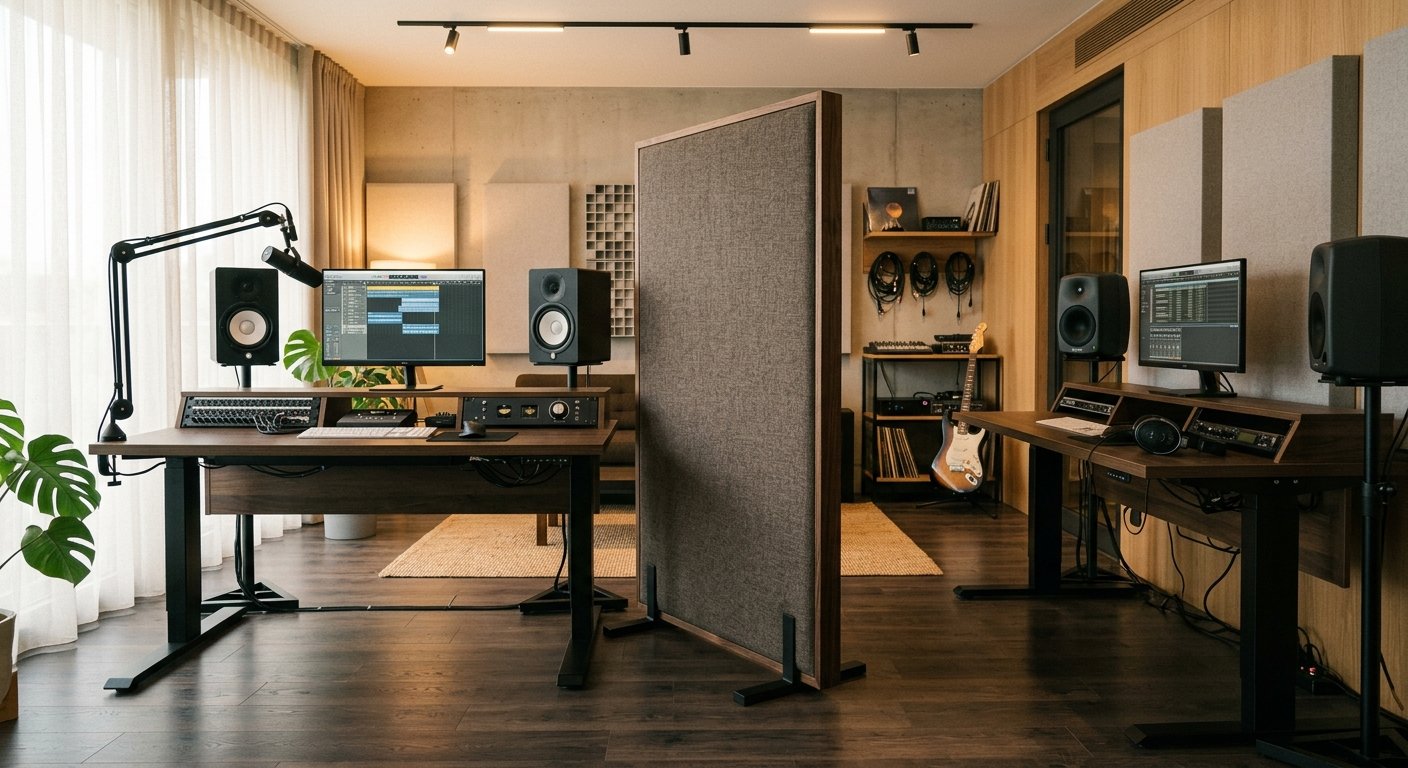
Treating an entire wall is expensive and often overkill for a small studio. Mobile acoustic screens placed behind or beside hosts cut reflections at a fraction of that cost, and you can move them as the layout changes.
A fabric-wrapped divider panel pulls double duty too: it separates recording zones for privacy and scatters sound that would otherwise bounce between hosts sitting close together. Soft lounge seating in a waiting or green room area does something similar. It’s comfortable for guests waiting to go on, and soft upholstered surfaces cut down on reverberation in that room the same way they do near the recording desk, rather than blocking sound from passing through to a neighboring room.
Vision’s furniture accessory line includes MIX SCREEN, a divider-style accessory, alongside LOTUS and Ocurra as additional accessory options for finishing out a studio layout. These are worth considering before you commit to a full acoustic-panel install, especially for small or rented spaces. This overlaps with, but is distinct from, treating a general open office; see how to soundproof an open office with furniture for that broader context.
Planning Cable Routing, Power, and Mic-Arm Placement Before You Order
Order furniture to fit your electronics plan, not the reverse. Skipping this step is how studios end up with visible cables snaking across the desk in every episode.
- Map every cable run first: mic arm to interface, interface to camera or recorder, power to each seat. Draw it out before you shop.
- Decide mic arm clamp location before ordering: a desk edge that’s too thin or too rounded won’t hold a boom clamp securely, no matter how good the rest of the desk is.
- Weigh built-in power or USB pass-through carefully: it saves floor cables but adds cost and a lead-time dependency on electronics sourcing. Factor that into your order timeline, not just your budget.
- Leave slack in every cable run: host count and camera setups change more often than furniture does, and a cable run with zero spare length means re-wiring the whole desk for a small layout tweak.
Chairs for Recording: Why a Quiet Mechanism Matters More Than Looks
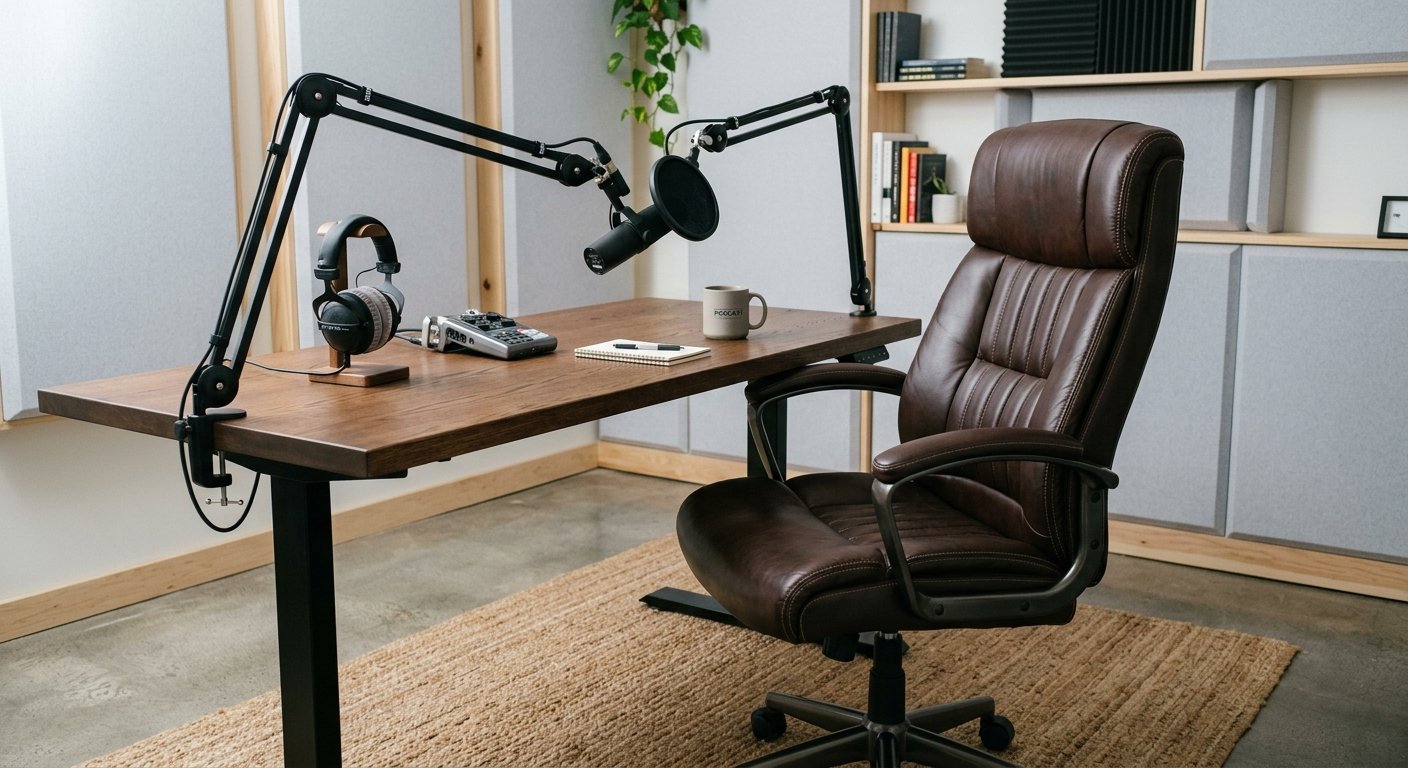
A chair that creaks under weight shifts is a constant, maddening problem on open mics, and it’s one almost no buying guide mentions. A tested, low-noise synchro-tilt mechanism matters more for podcast use than cushioning or looks.
Fabric and leather both work acoustically, but leather resists the rustling noise that loose fabric can make against a lavalier mic clipped to a host’s shirt. On hard studio flooring, often laminate or tile over a treated subfloor, caster wheels should be chosen to roll quietly, not just smoothly. A chair that rolls fine in a showroom can still rumble audibly on a studio floor.
Vision’s leather chair models Ferine, Trivaro, and Sovante illustrate the kind of low-noise, leather-upholstered seating that suits a multi-hour recording session better than a mesh task chair built for all-day office comfort but not for silence. For a broader look at chair types outside the studio context, see types of desk chairs and which one fits your workspace.
Budget Tiers: What Actually Drives the Cost of Studio Furniture
Neither Amazon listings nor boutique desk shops explain this clearly, so here’s the breakdown of what actually moves the price.
- Size and host capacity: a single-host desk costs less than a curved four-seat unit simply on material volume alone.
- Finish and material: solid wood and leather upholstery cost more than laminate and fabric but resist wear better under daily studio use and repeated guest sessions.
- Electronics integration: built-in power, USB pass-through, and motorized height adjustment all add cost and lead time beyond a static desk.
- Customization: a one-off curved desk built to a specific room shape costs more than an off-the-shelf model, but it fits awkward studio spaces that standard sizes simply don’t.
Decide which tier actually matters for your use case. A hobbyist audio-only podcast needs far less furniture investment than a weekly multi-camera video show recording guests on a regular schedule.
Common Mistakes When Furnishing a Podcast Studio
Most studio furniture regrets trace back to one of these five mistakes, usually made in the first week of planning.
- Buying a desk before measuring the room, then discovering the curve doesn’t match the camera distance once it’s in place.
- Choosing a glossy or glass desktop for looks, then fighting reflective audio problems in every single edit afterward.
- Ignoring chair noise until it shows up in a recording, by which point swapping chairs mid-season disrupts the whole show’s visual continuity.
- Under-planning cable routing, resulting in visible cables on camera or buzzing ground loops from improvised power strips.
- Treating acoustic screens as an afterthought instead of planning their placement alongside the desk layout from day one.
Each of these shows up on camera or in the audio track long before anyone thinks to blame the furniture.
Putting It Together: Building a Studio Furniture Plan That Works
Work the decisions in order: measure the room, pick a layout by host count, choose desk material for acoustics, plan cables and mic arms, then select chairs for noise and comfort. Skipping ahead to the desk you like the look of is how studios end up retrofitting fixes after launch.
Standard off-the-shelf desks handle simple single- or two-host setups just fine. But studios with unusual room shapes, odd host counts, or specific branding requirements often need something a catalogue simply doesn’t stock. That’s where a manufacturer with real OEM/ODM capability matters.
Vision Furniture manufactures office furniture with OEM/ODM production out of its Foshan and Guangzhou facilities, following ISO-based production management for factory quality control, which suits studios needing a non-standard desk shape, finish, or accessory panel built to spec rather than forced into a fixed catalogue size. Every order includes warranty and spare-part support, and remote installation service is available for teams setting up a studio without an on-site technician, with professional installation workers also available for on-site guidance where needed.
If your studio plan doesn’t fit neatly into a standard product page, the next step is a conversation about a custom spec, not a search for a bigger catalogue.
Frequently asked questions
What size desk do I need for a 3-host podcast?
Size depends more on layout shape than raw dimensions. A curved desk for three hosts typically needs enough width per seat for a mic arm, a monitor, and elbow room, while staying narrow enough for a single wide camera to capture all three faces without distortion. Measure your room and camera distance before fixing a width.
Do I need acoustic panels if I buy a good podcast desk?
A well-made desk reduces reflections near the mic, but it doesn’t replace room acoustics entirely. Mobile screens, fabric dividers, or soft seating nearby still help control reflections off walls and other hard surfaces that a desk alone can’t address.
Is leather or fabric better for podcast studio chairs?
Leather generally performs better for recording because it resists the rustling noise loose fabric can create against a lavalier mic. What matters even more than the upholstery is a quiet, well-tested tilt mechanism and casters that roll silently on hard studio flooring.


