
Why Your New Office Furniture Feels Uncomfortable After Two Weeks (And How to Fix It)
- 01 Jun, 2026
- Guides
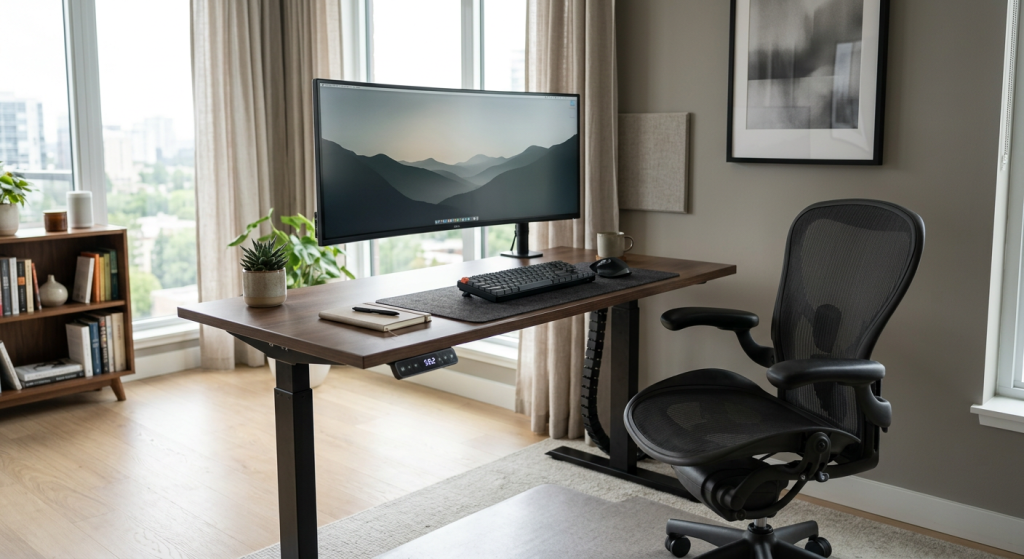
Your new office furniture feels uncomfortable after two weeks because the honeymoon phase masked three underlying issues: foam and mesh haven't fully broken in, your body is adapting to a posture it isn't used to, and — most often — the furniture was never dialed in to your specific measurements. The furniture isn't defective. It just isn't tuned. Fix the setup and 90% of the aches disappear within a week.
The Two-Week Honeymoon: Why Day One Feels So Good
New furniture always feels great at first. Fresh foam is firmer and more uniform, the mesh hasn't stretched, the gas cylinder is at full response. You're also comparing it to whatever tired, sagging chair you used before. Of course it's an upgrade.
But somewhere around day 10 to 14, two things happen at once. The foam begins compressing unevenly based on your actual sitting pattern — and your spine, which had been happily slumped for years, now has support in places it isn't used to. That support feels like strain until your postural muscles catch up.
This adjustment window is real and well-documented. Physical therapists call it “postural loading”: when you suddenly sit upright after years of collapsing forward, the deep stabilizers in your back fatigue quickly. The chair isn't causing the ache. It's exposing it.

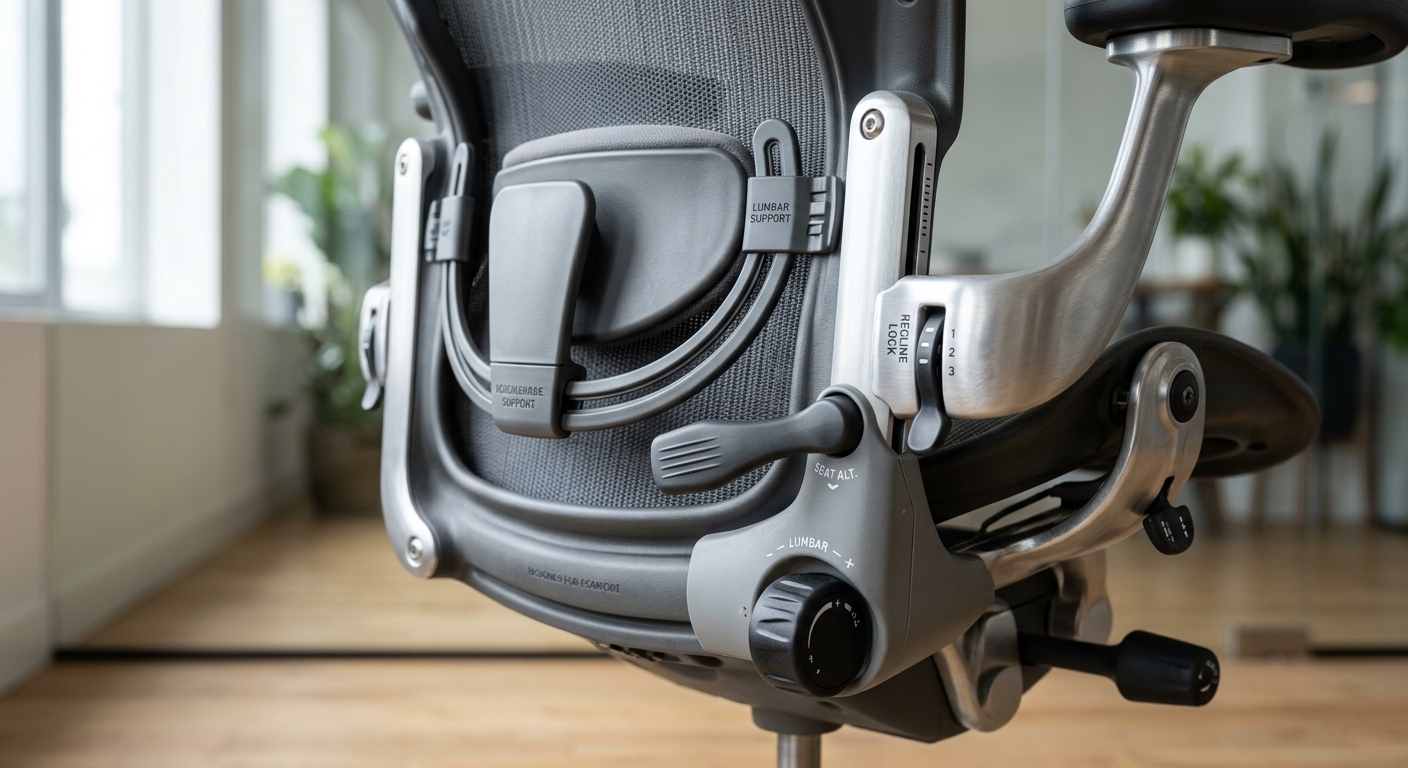
Culprit #1: Your Chair Was Never Adjusted — It Was Just Sat In
Here's the uncomfortable truth: most people adjust exactly one thing on a new chair — the height — and then never touch another lever. A good task chair has five to eight adjustment points. Ignoring them is like buying custom shoes and wearing them with the laces untied.
The four adjustments that matter most
- Seat pan depth: You should have 2–4 fingers of clearance between the back of your knee and the front edge of the seat. Too deep and your lower back loses contact with the lumbar curve.
- Lumbar height: The peak of the lumbar support should sit at your belt line, not between your shoulder blades.
- Armrest height: Elbows at 90°, shoulders relaxed, not hiked up. If your traps are tense by 3pm, your armrests are too high.
- Tilt tension: The chair should recline with gentle pressure, not fight you or collapse backward.
For example, a finance team we worked with upgraded to premium mesh chairs and got a wave of complaints two weeks in. A 20-minute walk-through showed nobody had touched seat depth. Once adjusted, complaints dropped to zero within a week.
Culprit #2: Desk Height Is Almost Always Wrong
The standard 29-inch fixed desk was designed for a 5'10" man wearing dress shoes. If you're shorter, taller, or just barefoot, the math doesn't work. Your wrists bend up, your shoulders creep forward, and by week two your forearms are complaining.
The quick test: sit with your elbows at your sides, forearms parallel to the floor. Your keyboard should meet your hands at that level — not above, not below. If you're typing with wrists flexed upward, the desk is too tall. If your shoulders are rolled forward, the desk (or monitor) is probably too low.
A height-adjustable desk solves this in seconds. If you're stuck with a fixed desk, raise the chair and add a footrest. For a deeper look at standard measurements and the reasoning behind them, our desk sizes and dimensions guide breaks down the numbers that actually matter. The research on movement throughout the day is covered in the impact of standing desks on productivity and health.

Culprit #3: The Monitor Is In The Wrong Place
Neck pain two weeks into a new setup usually isn't from the chair or desk — it's from the monitor. When a display is too low, you tilt your head down about 15–20 degrees. That's roughly 27 pounds of effective load on your cervical spine, held for eight hours. No lumbar support in the world saves you from that.
The rules that actually work
- Top of the screen at or just below eye level when sitting upright.
- Screen 20–28 inches from your face — roughly arm's length.
- For dual monitors, angle them inward so they form a shallow arc, not a flat wall.
- If you wear progressive lenses, lower the monitor about 2 inches — you're looking through the bottom of the lens.
Laptop users get hit hardest here. A laptop on a desk forces you to choose between good wrist posture and good neck posture. You can't have both without a separate keyboard and a laptop stand. This is one of the most common remote-work mistakes — we covered the broader setup issue in office furniture and remote work productivity.

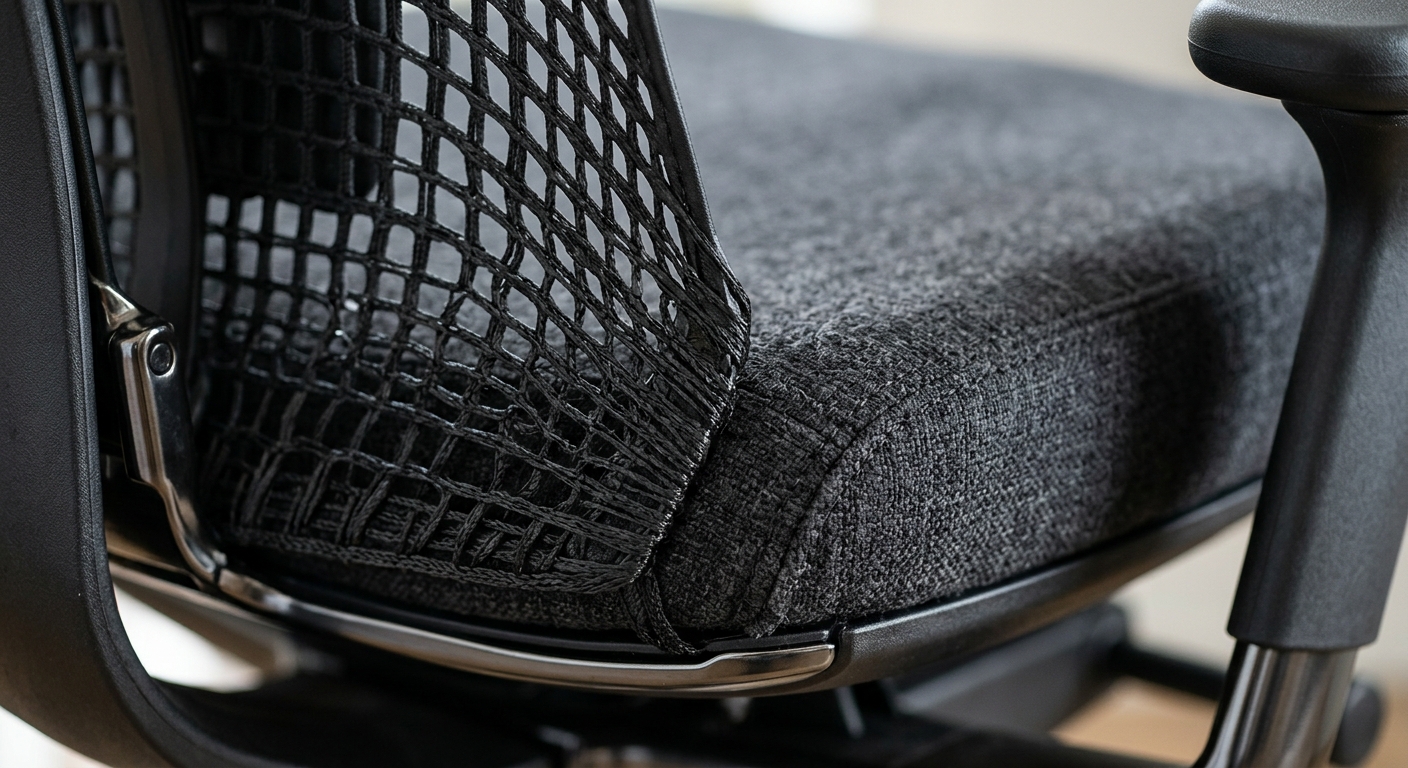
Culprit #4: The Foam And Mesh Haven't Broken In Yet
High-density polyurethane foam — the kind in decent office chairs — needs about 20–40 hours of use to reach its working firmness. Before that, it feels firmer than it will at month three. Mesh behaves the opposite way: it stretches slightly in the first two weeks, which can make a chair that felt perfectly supportive on day one feel slightly saggy on day fifteen.
This is normal. It's also why you shouldn't judge a chair in the first 72 hours or the first two weeks. Judge it at week four. If it's still uncomfortable then, something is genuinely wrong — wrong size, wrong model, or a manufacturing defect worth returning.
Cheap foam, by contrast, compresses permanently within 60–90 days and never recovers. That's the single biggest reason budget chairs feel worse over time, not better. If you want to understand what you're actually sitting on, our guide to office furniture materials covers foam density, mesh weaves, and frame construction in detail.
Culprit #5: You're Sitting The Same Way You Always Did
New furniture only helps if you use it differently. The single biggest postural mistake after an office upgrade is treating the new chair like the old one — leaning on one elbow, crossing legs, scooting forward to type, reclining only during phone calls.
A properly set-up chair expects movement. It's designed to tilt, recline, and shift with you throughout the day. Static sitting — even in a $1,500 chair — will hurt you. The research is pretty settled on this: posture changes every 20–30 minutes matter more than any single “correct” position.
A simple rotation that works
- Upright focused work: 90° recline, feet flat, forearms on desk.
- Reading or thinking: recline 110–115°, arms on armrests.
- Calls and video: stand up if possible, even for 10 minutes.
- Every hour: 60 seconds of movement — walk, stretch, or do a quick standing desk workout.
Culprit #6: Lighting And Floor Surface Are Making It Worse
Two things nobody blames but absolutely should: your overhead lighting and the floor under your chair.
Harsh overhead fluorescents or a bright window behind your monitor cause you to squint and lean forward — a micro-posture shift that, over eight hours, feels exactly like a bad chair. Glare is the silent culprit behind most “this furniture hurts my neck” complaints.
Floor surface matters too. A chair mat on carpet changes the roll resistance dramatically. If your chair suddenly feels “sticky” or forces you to push off with your feet, you're engaging hip flexors you don't need to. Hard floors, meanwhile, transmit more vibration and can make a caster-wheeled chair feel less stable than it actually is.
For a real example: a design studio moved into a new space with polished concrete floors and within two weeks had complaints about their perfectly good chairs. The fix wasn't new furniture. It was soft-wheel casters and task lighting at each desk. Total cost: under $40 per workstation.
When It Really Is The Furniture (And What To Do)
Sometimes the furniture is the problem. Here's how to tell the difference between a setup issue and a genuine mismatch:
- Sharp localized pain (wrist, tailbone, specific spot in lower back) that started immediately and hasn't improved — likely a sizing or design mismatch.
- Diffuse fatigue that builds over the day and eases overnight — almost always a setup or habit issue.
- Pain that started around week two and is getting worse — check adjustments first, then posture, then consider return.
- Pain that started around week two and is slowly improving — adjustment period, push through another 7–10 days.
Most reputable office furniture comes with a 30–60 day trial window for exactly this reason. Use it. Don't white-knuckle a chair that's genuinely wrong for your body because you feel committed to the purchase.
If you're outfitting a team and comfort complaints are widespread, the problem is rarely one product — it's usually specification. One chair model doesn't fit a 5'2" designer and a 6'4" engineer equally. Multi-size or fully-adjustable programs solve this, and it's worth reading about how furniture choices affect engagement and culture at scale.
The 15-Minute Fix Checklist
Before you decide the furniture is wrong, run through this. Most people feel dramatically better the same afternoon.
- Feet flat on floor or footrest. Knees at 90°.
- Seat pan: 2–4 fingers clearance behind knees.
- Lumbar support peak at belt line.
- Armrests supporting relaxed shoulders, elbows at 90°.
- Desk height so forearms are parallel to floor.
- Top of monitor at eye level, arm's length away.
- No glare on screen from windows or overhead lights.
- Set a 30-minute posture-change timer for the rest of the week.
Run this once. If you still ache after another full week, then — and only then — start questioning the furniture itself.
Setting Your Next Purchase Up For Success
The best way to avoid the two-week discomfort trap is to buy furniture that's actually adjustable — not furniture that looks premium. Real adjustability costs more because it requires better mechanisms, not because it's a marketing feature. A $400 chair with seven real adjustment points will outperform a $900 chair with two, every time.
When specifying furniture for a team, build in a fitting session on installation day. Twenty minutes with each person, showing them which levers do what, eliminates most complaints before they start. It's the cheapest ergonomic intervention you can possibly make.
If you're planning an office refresh and want to get the specification right the first time — chairs, desks, storage, the whole setup — our team at Vision Furniture builds custom ergonomic programs for offices of every size, and you can browse our full range on the products page. Better to dial it in once than retrofit later.


