
Why Your Standing Desk Wobbles (And How Much Sway Is Actually Normal)
- 03 Nov, 2026
- Guides
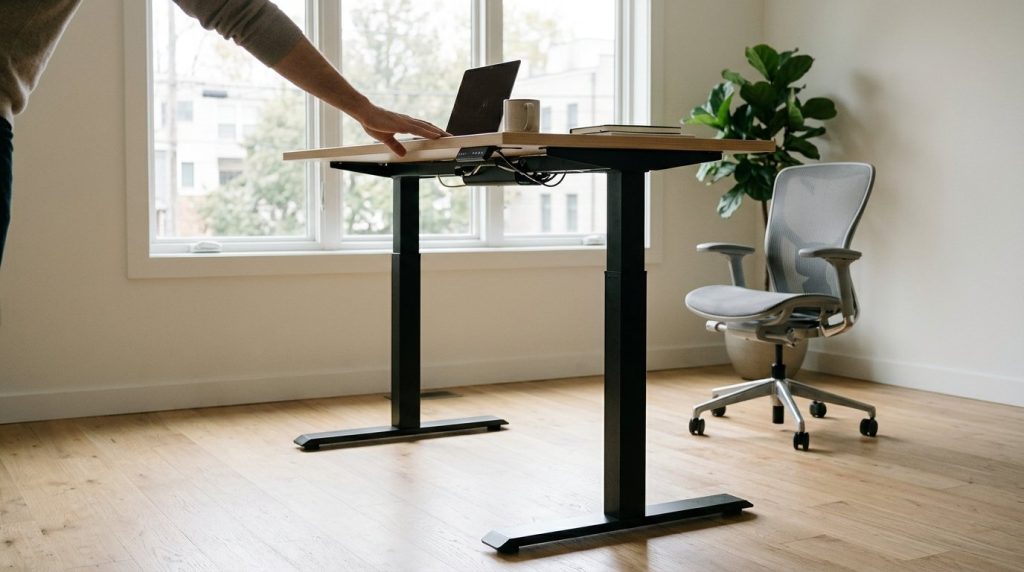
Most standing desks move a little at full height and that is normal: a two-leg frame is a tall lever, and any nudge at desktop level gets amplified at the base. What is not normal is watching your monitor shift against the wall while you type, or a desk that rocks on its own feet with nobody touching it. Both of those have one specific cause, and you can find it in about five minutes without buying anything.
Key takeaways
- A two-leg desk that deflects when you push it at full height is behaving normally; a desk that rocks diagonally on its own feet is not, and the cause is the floor or the levelling feet.
- Sway, shake while typing and continuous vibration are three separate faults with three different fixes, so identify which one you have before buying any hardware.
- Load rating describes compression, not lateral stiffness: ask which standard a frame was tested to, such as BIFMA X5.5 or UL 962, and what its foot span and leg overlap are at full height.
- A loose leg bracket or desktop joint mimics a bad frame, and re-torquing every fastener after the first few weeks of use fixes more wobble than any stabilizer bar.
- A monitor arm clamped to the rear edge of a thin top adds a bending moment the desktop was never specified for, and moving that clamp over a crossbeam costs nothing.
How Much Sway Is Normal, and Why Sway, Shake and Vibration Need Different Fixes
Here is a definition you can actually use: a two-leg height-adjustable desk is allowed to deflect when you push it, and it will deflect more the higher it goes. What it is not allowed to do is move under the load of ordinary work. That distinction settles most arguments about whether a desk is broken.
The threshold most people actually care about
If your monitor bezel visibly drifts against a fixed background while you type, the movement has passed what the frame should be doing at your working height. If you can feel the desk give when you lean on it but the text stays still and the mouse tracks cleanly, you are inside normal behaviour and spending money will not change much.
Three problems wearing one name
Owners call all of it wobble. It is three faults with three different cures, and fixing the wrong one is why people replace a desk and get exactly the same result on the new one.
- Sway is side-to-side or front-to-back movement of the whole frame. It comes from the floor, the foot span, the crossbeam and the leg joints.
- Shake or judder is a fast tremor while you type. It comes from joint play and desktop flex, and it is what makes a monitor look blurry.
- Vibration is continuous and low. It comes from the motor, a suspended building floor, or equipment nearby, and it behaves nothing like the other two.
Do not hunt for a millimetre figure
No manufacturer publishes a lateral deflection number you can compare between frames, so any millimetre figure you find online is folklore. Use a relative standard instead: measure the same desk before and after a fix, or compare your desk against a colleague’s on the same floor. Two readings from the same spot beat one number from a forum.
The symptom that is never normal
Press one corner. If the diagonal opposite foot lifts off the floor, the desk is standing on three points. That is a floor or foot-adjustment problem rather than frame flex, and it is fixed in the next two sections for free.
Set expectations now: a fix makes a two-leg desk acceptable at height. It does not make it feel like a welded bench, and no stabilizer bar will either.
Why the Same Desk Gets Worse the Higher It Goes
Nothing about the desk changes between sitting height and full standing height except geometry, and geometry is enough. Two mechanisms do almost all of the damage.
The lever arm does the work
A lateral push at desktop height produces a bending moment at the base, and that moment grows with the distance from the floor to your hands. The same nudge you give a desk at sitting height is a much heavier load on it at standing height. Nothing loosened. You moved the load further up a lever.
Telescopic legs are least rigid at the top
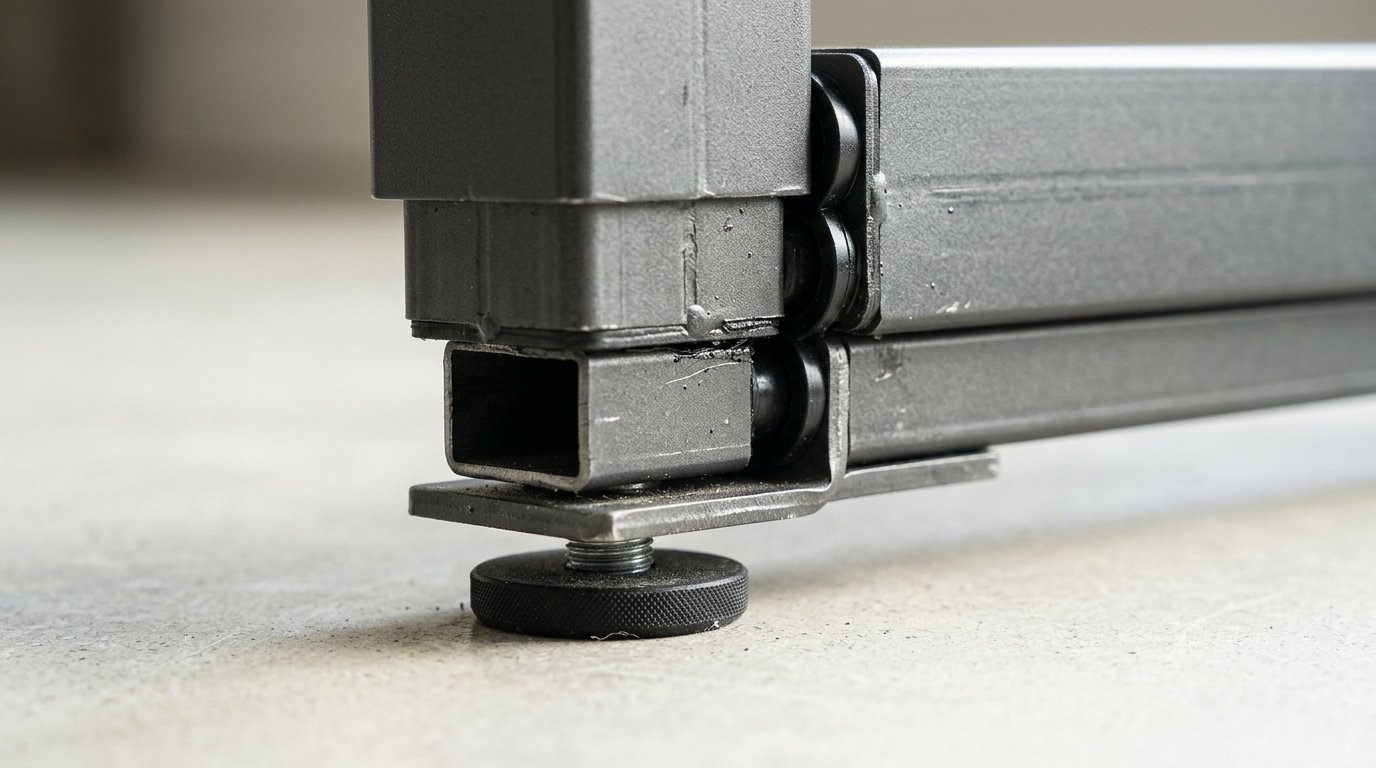
A three-stage leg works like a collapsible walking pole: the tubes need clearance to slide, and when the leg is short that clearance is spread across a long overlap. At full extension the overlap is at its minimum, so the identical clearance now shows up as play. On most desks you notice it at the desktop edge long before you notice anything at the leg itself.
Load rating measures compression. You care about bending
A high load rating describes how much weight the columns carry downwards. Stability describes how the frame resists bending and twisting. Those are different specifications, and a desk rated for a very heavy load can still be laterally sloppy because the rating says nothing about torsional rigidity, foot span or joint tolerance. A load figure is self-declared unless it is tied to a published standard, so ask which standard was tested and what the pass criterion was. BIFMA X5.5 covers desk and table products; UL 962 covers height-adjustable furniture. Neither is a guarantee of stiffness, but a frame tested against them is a frame whose claims have been examined.
Front to back sway versus side to side
The two directions load the frame differently. A crossbeam running across the desk resists front-to-back movement far better than it resists racking, which is why a desk can feel planted when you lean forward onto it and loose when you shake it side to side. Test both directions separately, and trust the worse one.
The last few centimetres cost the most
If a shorter user is running the desk near its maximum only to bring the monitor closer to eye level, the cheapest stability upgrade is to lower the desk and raise the screen instead. It costs nothing and it removes load from the worst part of the travel. Our guide to choosing a desk height that fits your body covers how to set that working height properly.
Mass helps the feel, not the fault
Weight placed low and centred, such as a loaded cabinet resting on the lower frame, damps vibration and takes some of the ring out of a desk. It will not tighten a loose bolt or close a gap in a leg. Position mass as a fine adjustment, never as a cure.
The Five-Minute Wobble Test: Isolate Floor, Frame, Joints, Desktop, Accessories
Order matters, because each step removes one variable before the next one is tested. Work through them with the desk cleared, and note what you saw at each stage.
Step 1: the rock test
Lower the desk, empty it, and press down hard on one corner while watching the opposite foot. A foot that lifts means the desk is standing on three points. The frame is not the suspect at this stage; the floor and the levelling feet are.
Step 2: the paper test
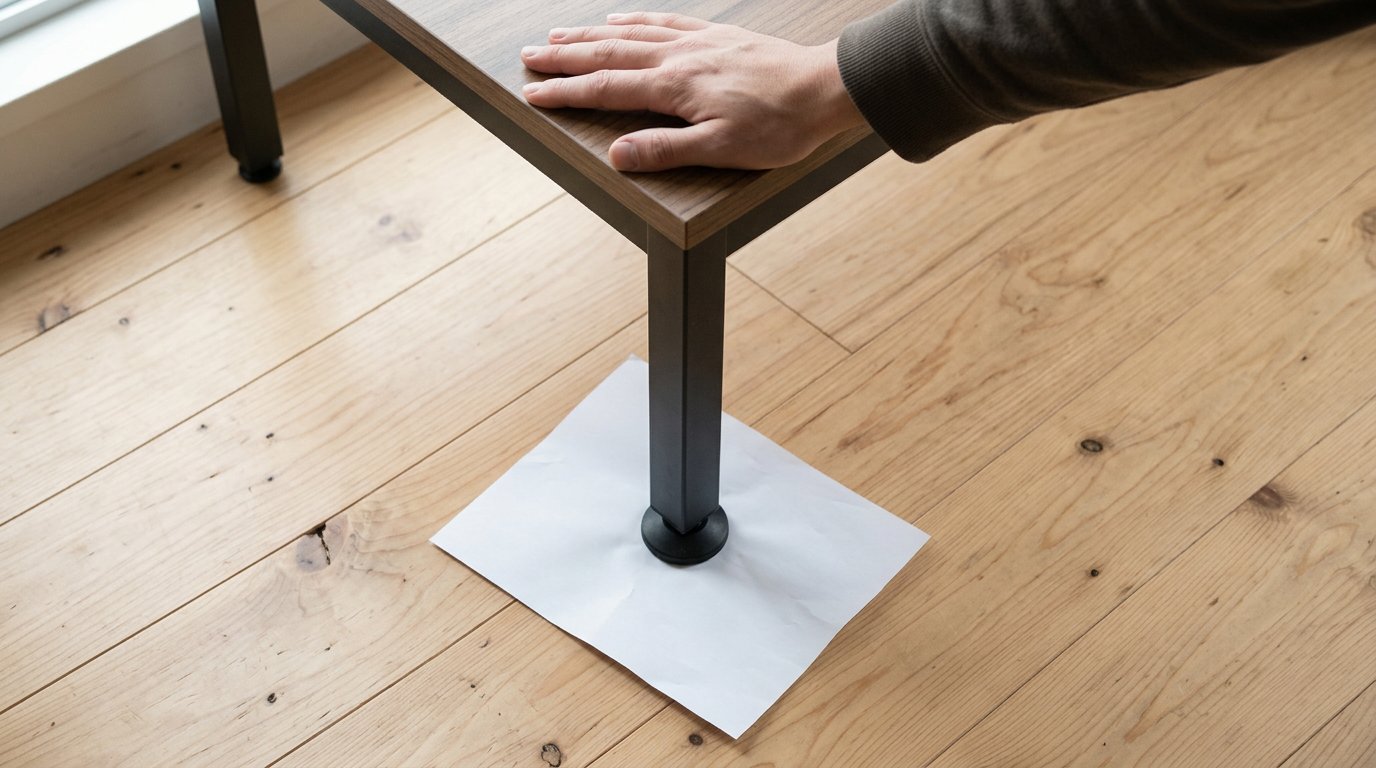
With no weight on the desk, slide a sheet of paper under each foot in turn. Then press on the desktop directly above that foot and try to pull the paper out. A sheet that slides freely before loading and grips afterwards tells you that foot is bridging a dip and carrying no weight at all.
Step 3: the racking test
Grip both legs and push side to side. Then grip the front edge of the desktop and push front to back. Note which direction moves more. Side-to-side movement combined with stiff front-to-back behaviour is a bracing problem, and no amount of bolt tightening will change it.
Step 4: the hardware sweep
At working height, hand-check every bolt you can reach: the leg-to-foot bracket, the crossbeam, and the desktop-to-frame connection. Then look for the failure owners miss, which is a bolt that has crushed or stripped the board it threads into. A fastener spinning in a damaged hole feels tight and holds nothing.
Step 5: the flex test
Press down firmly on the middle of the desktop between the two leg brackets and watch the top relative to the crossbeam. Movement there is about span and thickness. Bracing the frame will not remove it.
Step 6: the subtraction test
Remove the monitor arm, the clamp light, the dual screens. Repeat step 3. If the wobble drops sharply, the load path through your accessories is the cause, and section seven is the answer.
Write it down, then change one thing
Record what each step showed, apply a single fix, and re-run that same step. Fixing by guesswork in sequence is how people end up with three stabilizer bars and the same wobble they started with.
Carpet, Casters and Feet: Fixing the Floor Interface First
Soft flooring compresses under load, and a four-point desk on carpet is sitting on four points that deflect at different rates as you shift your weight from one side to the other. The desk is not flexing. The floor beneath it is. This is the single most common cause of standing desk wobble on carpet, and it is also the cheapest to rule out.
Why the same desk behaved on tile
Move the desk onto a hard floor for an hour. If the wobble disappears, you have your answer and you have not spent anything. Do this before you shop for hardware.
The fixes, ranked by what they actually buy
- Leveling feet, extended properly. Free, and it should happen before anything else. Wind each foot out until it is loaded, not just touching. Feet wound fully in on thick carpet are a routine cause of rocking.
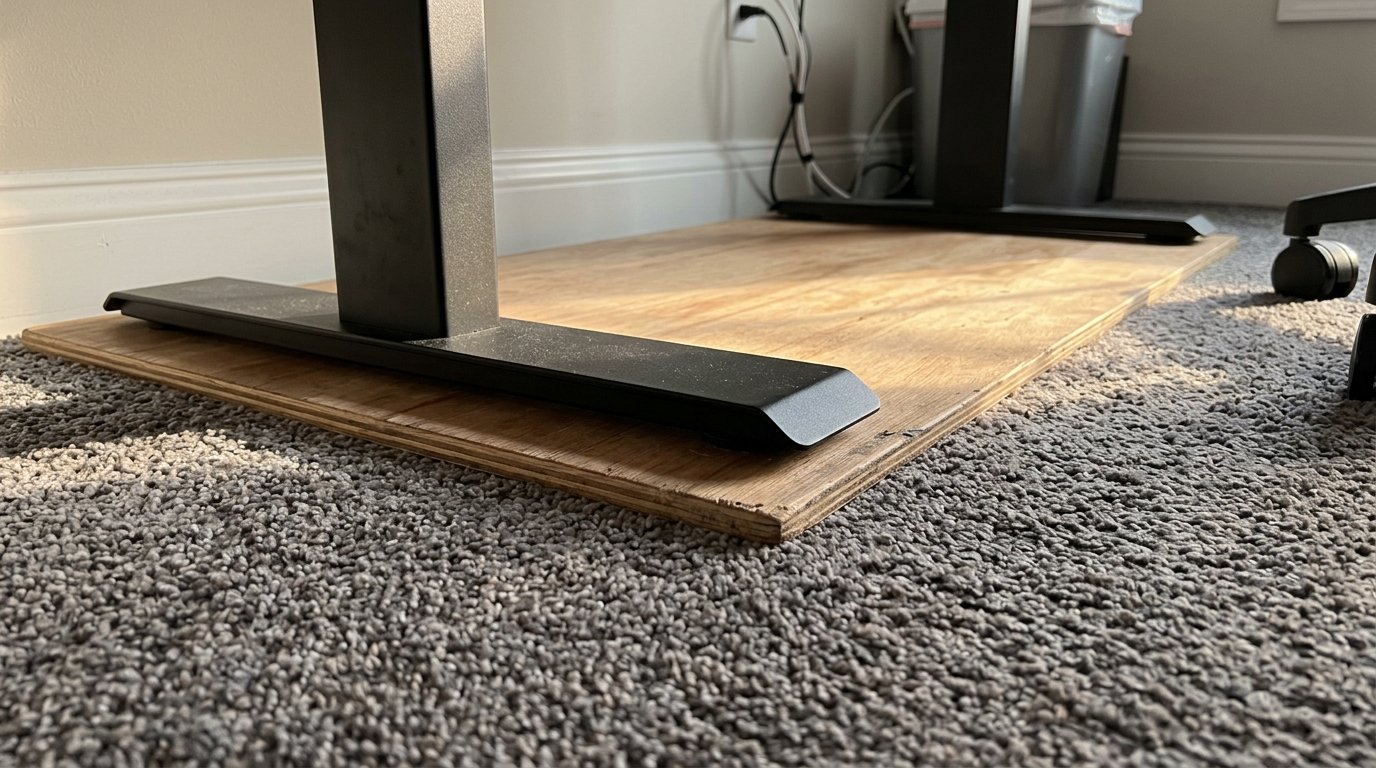
- A rigid plinth. A board or panel under the whole footprint that spans all four feet and spreads the load over a flat surface. Cheap, genuinely effective, and the honest cost is that it looks like a board under your desk.
- Carpet spikes. Spikes bite through pile to the subfloor and work well on deep carpet. They are the wrong choice on hard flooring and they will mark it.
- Carpet casters. The opposite problem. Casters generally add a compliant layer and a taller base, so on carpet they sink and on any floor they make a desk less stable rather than more.
- Anti-slip pads. They stop the desk creeping across the floor and do almost nothing about rocking. Worth saying plainly, because they are the most recommended fix online and the least effective one.
Out-of-level floors
An old building with a slope or a dip will rock any four-legged desk, no matter who made it. The only real answers are levelling feet with enough adjustment range, or shimming the low point. If your feet run out of thread, shim.
Do Expensive Desks Wobble Too? Assembly, Torque and Uneven Leg Extension
Yes. Price buys tighter tolerances and more mass in the columns, and neither of those survives a frame that was bolted together badly at the end of a long day. When you search your desk’s model name and find a thread complaining about wobble, you are almost always reading about one unit rather than a model-wide flaw.
Flat-pack reality
On a two-leg frame, the leg-to-foot bracket, the crossbeam and the desktop connection are only as tight as the torque applied during assembly. Hand-tight with the short hex key that came in the box is not the same as tight, particularly on the desktop joint where the fastener is biting into a board rather than steel.
Re-torque after the first few weeks
Fasteners relax as the desk cycles up and down and the joints bed in. A desk that felt solid in week one and loose in week six has usually not failed, it has settled. Give every visible bolt a turn before you contact anyone about a fault.
Uneven leg extension
If the two columns are not at the same height, the desktop sits slightly diagonal and the whole frame is preloaded to one side. Run the desk to its lowest position and follow the manufacturer’s own re-sync procedure before blaming the hardware. Two legs fighting each other feel exactly like a wobbly frame.
Damaged connections
A bolt driven in at an angle, a missing washer, or a thread stripped out of a particleboard top. The desktop-to-frame joint is the weak link on most desks and it is the one people tighten last, usually after they have already ordered a stabilizer bar.
The reframe worth taking away: assembly quality is a variable you control, and a mid-range frame bolted up properly will often out-perform a premium frame bolted up badly.
Frame Design: Racking, Bracing, Stabilizers and Wall Anchoring
Racking is the frame parallelogramming side to side, and it is a different failure from front-to-back sway because a crossbeam resists one far better than the other. That is why a desk can feel solid when you lean on it and loose when you shake it. Read any frame by how it carries lateral load, not by its price tier.
A two-leg T-frame leans on foot span and the crossbeam. A four-leg frame spreads lateral load across four columns. A cantilever frame puts the whole bending moment into a single joint at the back, which is efficient for legroom and unforgiving at height. Same lifting capacity, very different behaviour.
What genuinely adds lateral stiffness
A wider foot span, more mass at the base, a third leg on wide desktops, and cross-bracing or a stabilizer bar between the legs. Those four things help. Most of what is sold as a stability accessory is not one of them. If you are still choosing between frame families, this comparison of desk types for different office settings is a useful starting point.
Stabilizer bars and third-leg kits, honestly assessed
They reduce racking and front-to-back movement at height, and they do nothing for desktop flex or a rocking floor. Buy them after the free fixes fail, not before. A stabilizer bar bolted onto a desk with a loose leg bracket just produces a stiffer wobble.
Wall anchoring for desks that live at full height
Bracket into a stud, never into drywall alone, and use the frame’s own mounting points where they exist. Renters still have options: a freestanding anti-tip strap that tethers the frame to a permitted fixing point, or a bracket into a wall that you are allowed to drill.
Under-desk cabinets
They add useful low mass, and they act as a lateral brace only if they are attached to the frame. A cabinet on casters parked under the desk mostly adds a second thing that wobbles and a third noise to diagnose.
Monitors, Arms and Desktop Flex: When the Desk Is Not Really the Problem
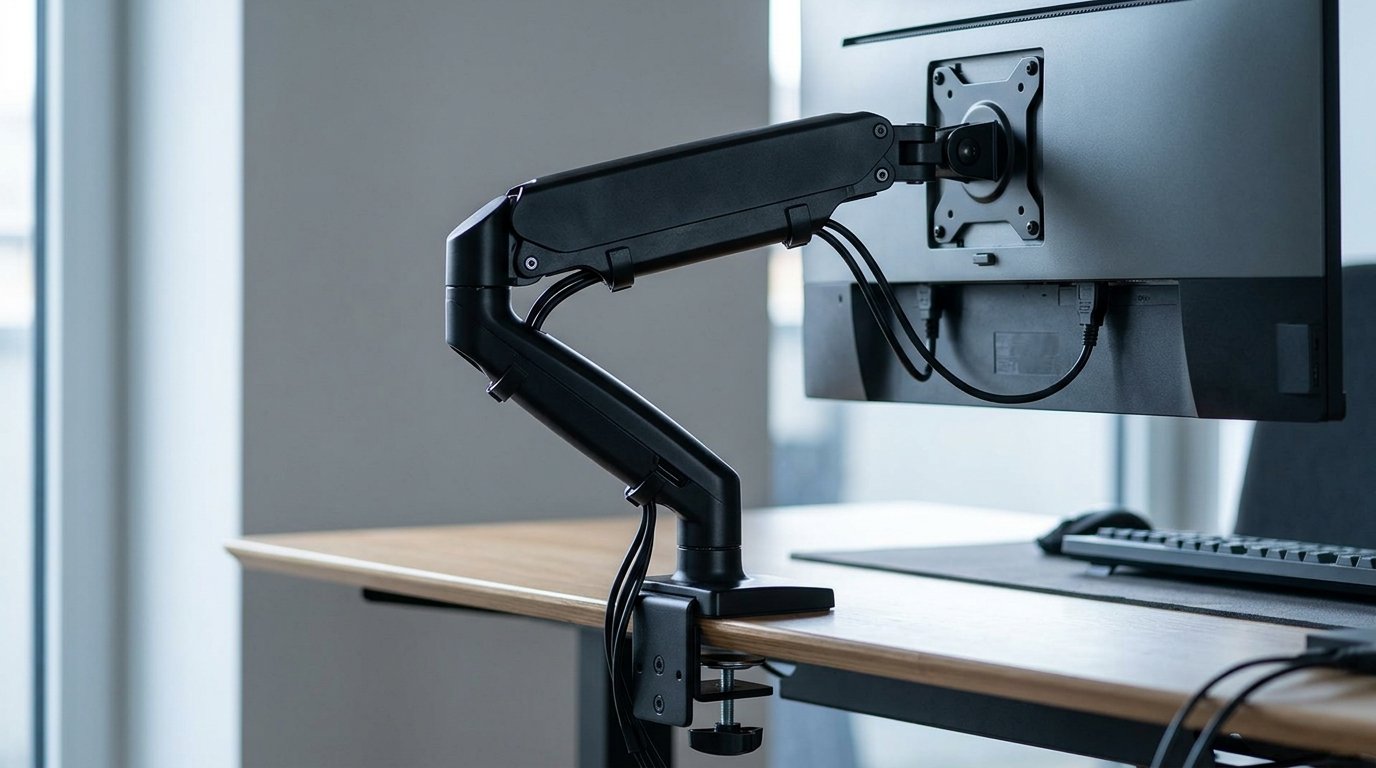
A monitor arm is a lever clamped to the rear edge of the desktop, carrying the weight of the arm and the screens forward of that clamp and usually well above the surface. That load produces a bending moment the desktop and the frame were never specified for, and the higher and further forward the screen sits, the worse the moment gets.
Where the clamp sits matters more than how hard you tighten it
Clamping near the centre of a thin top on a wide span produces the most deflection. Clamping directly over or close to a crossbeam or a leg bracket reduces it. Moving the clamp is free, takes two minutes, and almost nobody tries it before shopping for a new frame.
Grommet mount versus edge clamp
A through-bolt grommet mount loads the top in a way that resists peeling far better than an edge clamp, because it pulls through the board rather than levering at its edge. Many desktops ship with a grommet or offer it as an option, and it is the better mount for anything heavier than a single light screen.
Thickness and span, not overall width
A thin top spanning between two leg brackets bends in the middle under a point load. Ask for the desktop thickness and the distance between the leg brackets, not just the overall width. Two centimetres of extra board does more for a clamped arm than five centimetres of extra width.
Monitor shake is often misdiagnosed
The arm is a spring, and it amplifies small movements before your eye ever registers the desk moving. A stiffer arm, a shorter extension, or a wall-mounted monitor removes the symptom entirely without touching the desk. If you are sorting out which accessories are worth their footprint, our piece on standing desk mats, monitor arms and cable trays goes through them one by one.
The cheap test
Press the desktop near the clamp, then press it near the leg bracket, and compare. Much more movement near the clamp means the desk is not your problem. Stop shopping for a frame.
When Wobble Is a Defect: What to Document Before You Claim Warranty
The distinguishing question is simple: does the desk misbehave in a way no adjustment can change? If yes, you have a fault. If the movement only appears near maximum height and responds to the fixes above, you are looking at a design limit and a claim will not go anywhere.
What counts as a fault
- It rocks on its feet out of the box, before anything is loaded onto it.
- A leg drops or drifts under load, or the two legs will not stay in sync after a proper reset.
- A joint will not tighten, or an insert is cross-threaded or pulled out of the board.
- The desktop sits visibly diagonal because the columns extend to different heights.
General flex at maximum height is not on that list. It is the frame doing what a tall lever does.
Film it, do not describe it
Record the symptom with the desk at a stated height, in one continuous shot. Film the rock test with a sheet of paper or a spirit level in frame as a reference. Photograph every fastener and the desktop joint close enough to read the hardware.
The boring details decide claims
Floor type, whether casters are fitted, the height at which the problem appears, the assembly date and the order reference. Support teams triage on those five facts, and a ticket missing them goes to the back of the queue.
Do not modify anything first
Drilling a top for a stabilizer bar or a third-party mount is exactly the kind of user modification that voids coverage. Contact the seller while the desk is still as it shipped. Every order from Vision includes a warranty and spare-part support, and a claim is far easier to settle on an unmodified desk.
Keep control faults separate
A desk stuck at one height, refusing to move or flashing an error is a reset or electronics issue, not a stability issue. Bundling both into one support ticket slows down the one that could actually be resolved.
Ask the question in writing
Request a specific answer: what lateral behaviour should this frame show at my working height, and is my symptom inside that range? An answer in writing is the difference between a return and an argument.
What to Fix This Week, and What to Ask Before You Buy
Start at the top of this list and stop when the symptom goes away. The first four items are free and they resolve most cases.
Ranked by cost
- Extend the levelling feet until all four are properly loaded.
- Re-torque every visible fastener, desktop joint included.
- Reset the desk to its lowest point and run the leg re-sync routine.
- Move the desk onto a hard floor for an hour to confirm whether the floor is the cause.
- Put a rigid board under the whole footprint if it has to live on carpet.
- Move the monitor arm clamp so it sits over a crossbeam or near a leg bracket.
- Only then consider bracing, a stabilizer bar or a third leg.
Questions almost nobody asks a seller
- How many leg stages, and how much tube overlap remains at maximum height?
- What is the foot span, measured outside foot to outside foot?
- How thick is the desktop, and how far apart do the leg brackets sit?
- Is a crossbeam or centre rail included, and is a stabilizer bar or third leg offered?
- What maximum working height is this frame recommended for?
Ignore the load rating on its own, the number of motors, and the phrase heavy-duty. None of those three describe lateral behaviour, and all three are easy to print on a specification sheet. A manufacturer that builds its own frames should be able to explain how the frame is braced against racking and what height range it is designed to work at, rather than only how much it lifts. If you are buying for a team rather than one desk, the sit-stand desk procurement checklist turns those questions into a shortlist.
Where Vision fits
Vision has been building office furniture in China for over 30 years, with production under ISO-based production management for factory production and quality control. The lift-type desks in the IN EXECUTIVE, ULIX EXECUTIVE and OBOL EXECUTIVE ranges are part of that line. We also provide remote installation support and can send professional installation workers for on-site guidance, because correct assembly is half of what makes any desk feel solid at height, and every order includes a warranty and spare-part support for the parts that wear. If you are specifying height-adjustable desks for a project, send us the working heights and desktop sizes and we will tell you what the frame will and will not do.
Frequently asked questions
Do Flexispot desks wobble?
Any two-leg height-adjustable frame, whatever the brand, moves more at full height than at sitting height, so a Flexispot desk used near its maximum will deflect when pushed. Forum threads naming a specific model usually describe one badly assembled or badly levelled unit. Check fastener torque, leg sync and the floor before concluding the design is at fault.
How to get a standing desk out of lock mode?
Lock mode is usually a control lock rather than a mechanical fault. Hold the up and down buttons together for a few seconds, or press and hold whichever button combination your manual names, until the handset beeps or the display changes. If nothing responds, unplug the desk for a minute and run the manufacturer’s reset and re-sync routine.
Do standing desk mats make wobble worse?
A mat under your feet does not touch the desk, so it changes nothing about stability. A mat, rug or underlay beneath the desk feet does add a compressible layer that lets each foot settle at a different rate, which is the same mechanism that makes carpet feel unstable. Put a rigid board between the feet and the soft surface instead.


