
The Engineering Behind Chair Recline Mechanisms: Synchro-Tilt, Knee-Tilt, and Why It Matters
- 03 Sep, 2026
- Guides
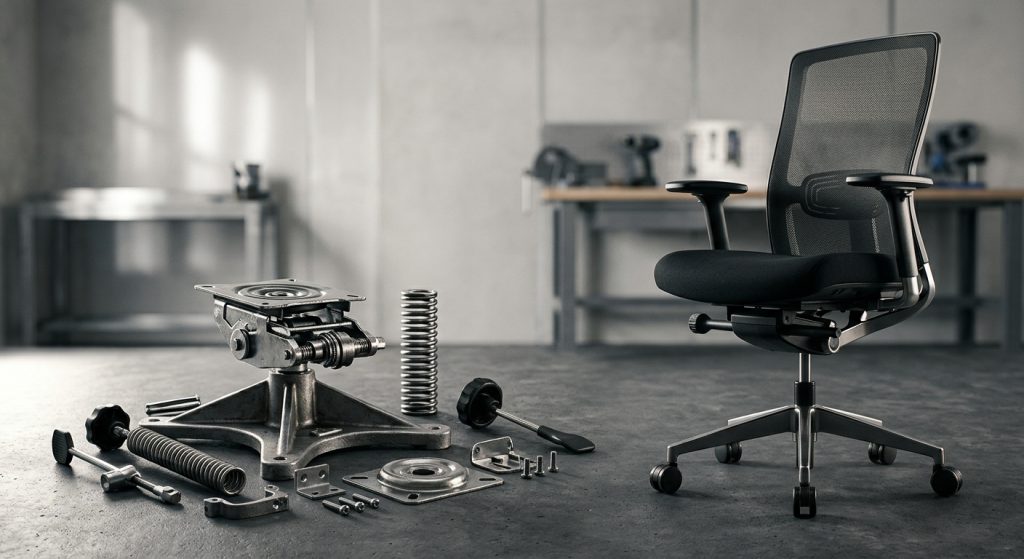
A chair’s recline mechanism determines whether reclining feels natural or fights your body — synchro-tilt links the seat and backrest to move together at a fixed ratio (usually 2:1), while knee-tilt shifts the pivot point forward so your feet stay planted and your shirt doesn’t ride up. The mechanism matters more than almost any other spec on a chair because it’s the one part that’s constantly in motion, absorbing your weight shifts hundreds of times a day. Get it wrong, and you’ll feel it in your lower back by week three.
What’s Actually Inside That Chair Base
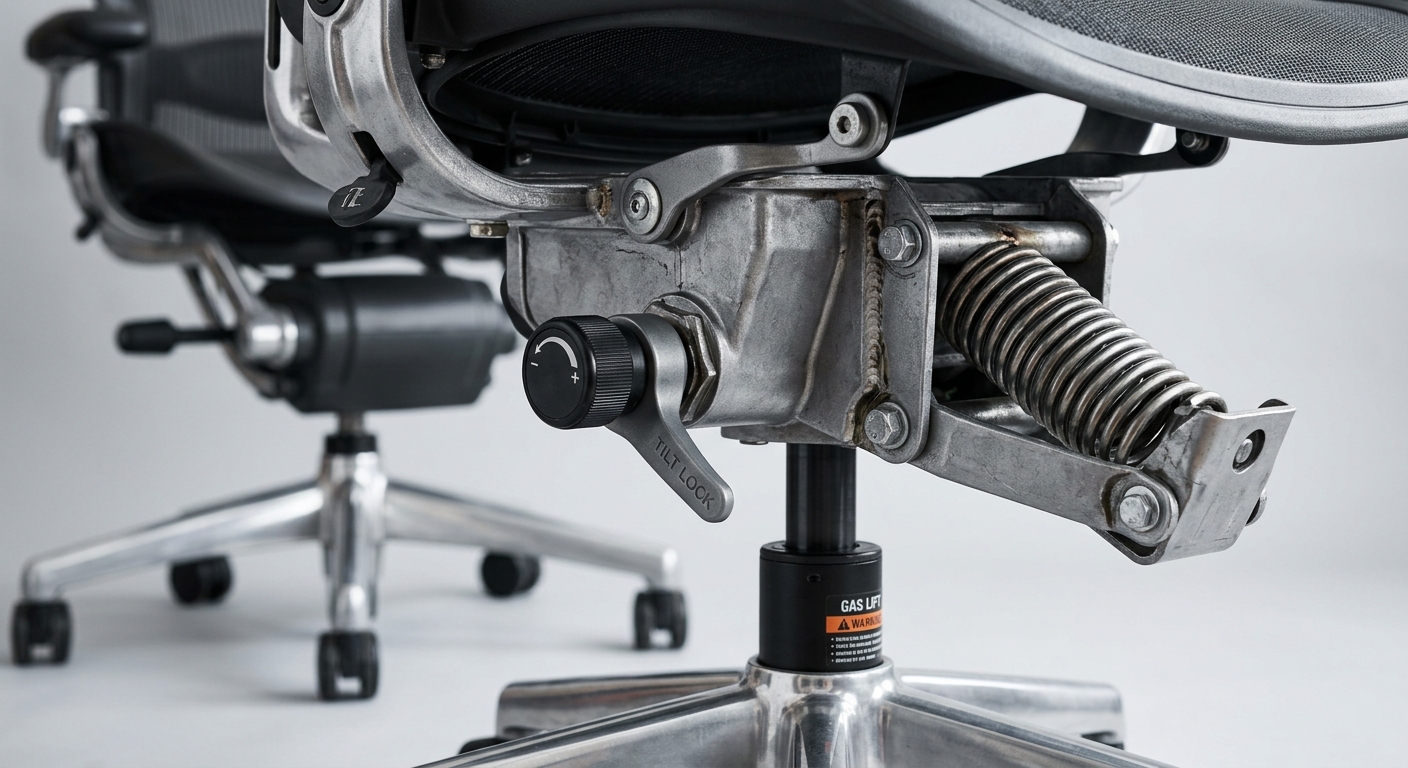
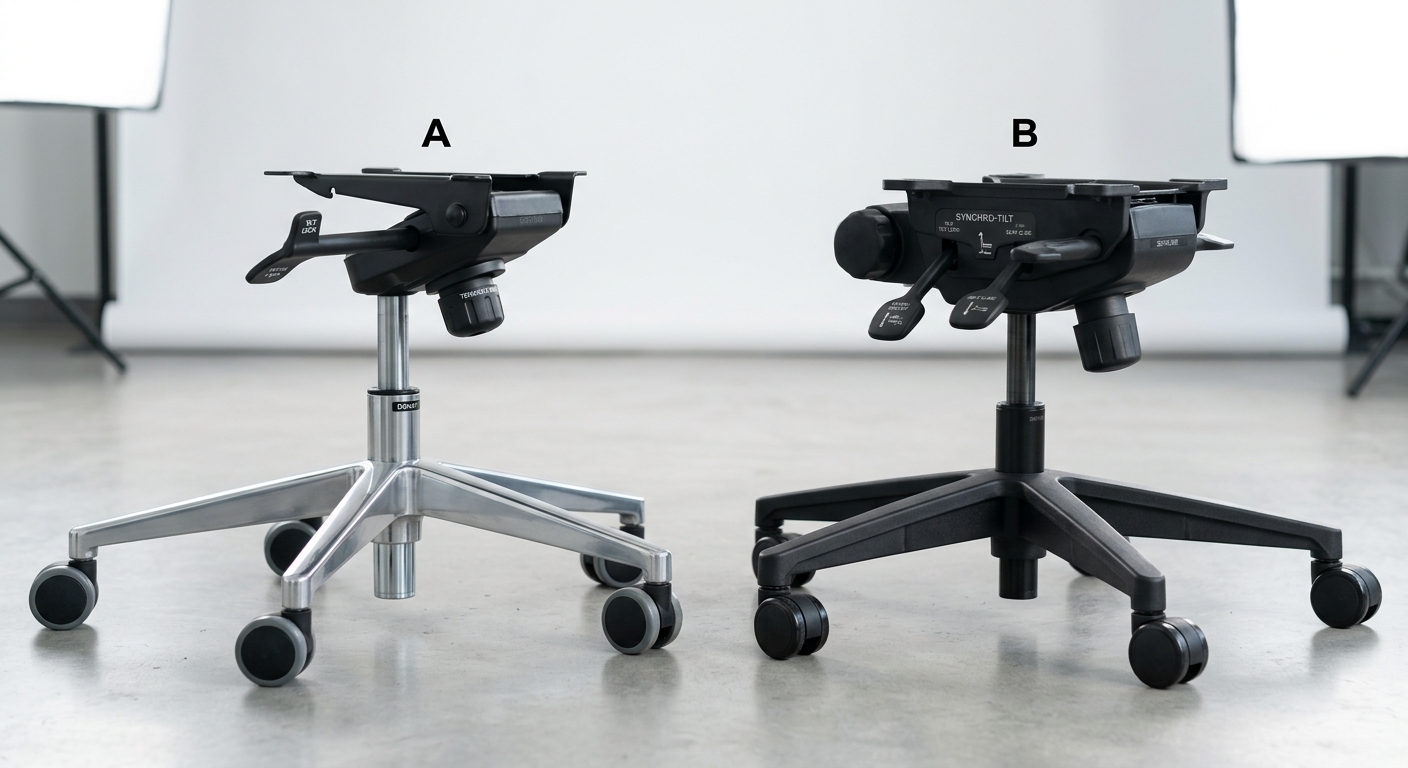
Pop off the seat pan of most office chairs and you’ll find a steel or reinforced nylon control box — usually called the tilt mechanism or control assembly — bolted to the gas cylinder. Inside that box: a pivot bar, one or more springs, a tension knob, and a lock lever. That’s it. No motors, no hydraulics beyond the gas lift itself. It’s a purely mechanical spring-and-lever system, and the geometry of where that pivot sits is what separates a $150 chair from a $700 one.
The pivot point is the single most important design decision in the whole mechanism. Move it two inches forward or backward and the entire feel of the chair changes. This is why two chairs that look nearly identical from the outside can feel completely different when you lean back — the visible upholstery tells you nothing about the mechanism hidden underneath.
Synchro-Tilt: The Industry Default, For Good Reason
Synchro-tilt mechanisms link the seat and backrest through a connecting rod so they move together at a fixed ratio — typically the backrest reclines twice as far as the seat tilts, written as a 2:1 ratio. Recline the back 30 degrees, and the seat front lifts about 15 degrees. That ratio keeps your hip angle open and your feet close to the floor, which is exactly what prevents that awkward “sliding out of the chair” feeling you get with cheaper mechanisms.
Why the Ratio Matters More Than the Recline Angle
Manufacturers love to advertise maximum recline angle — “135 degrees of recline!” — but the ratio is what determines comfort, not the angle. A chair with a 1:1 ratio at 135 degrees will dump you backward awkwardly. A well-tuned 2:1 or 2.5:1 synchro-tilt at the same angle feels supported the entire way back, because your torso and thighs are opening proportionally instead of your whole body rotating around one point.
Most quality task chairs on the market — including the ones we detail in our desk chair comparison guide — use synchro-tilt as the baseline mechanism, then layer tension adjustment and lockout positions on top.
Knee-Tilt: When the Pivot Moves Forward
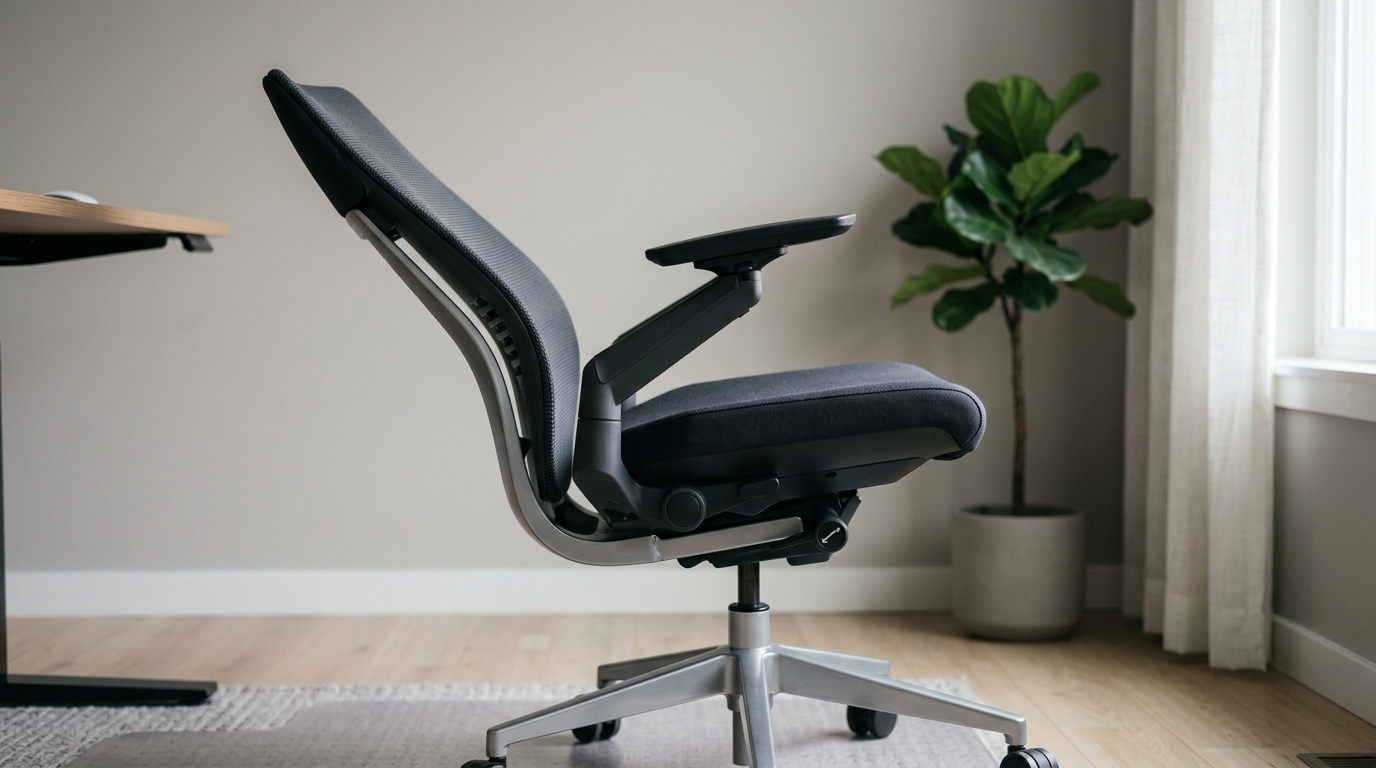
Knee-tilt mechanisms relocate the pivot point from under the seat’s rear to a spot much closer to the front edge — roughly under your knees rather than under your hips. The practical effect: your feet barely move when you recline, and there’s almost no forward shift of your legs. This matters a lot more than it sounds like on paper.
For instance, a software developer who keeps their feet flat on a footrest while coding might find synchro-tilt annoying — every time they lean back to think, their feet slide slightly forward off the rest. A knee-tilt chair eliminates that entirely. This is exactly why you see knee-tilt mechanisms dominate high-end gaming chairs and premium task chairs marketed for 10+ hour sessions, not executive or conference chairs where people recline less frequently.
The Tradeoff Nobody Advertises
Knee-tilt mechanisms are mechanically more complex and expensive to manufacture — more linkage points mean more potential failure points over years of use. If you’re furnishing a role that involves long, static focus work, the extra cost is usually worth it. If people are in and out of the chair all day, synchro-tilt holds up fine and costs less to maintain long-term.
Tension Adjustment: The Setting Almost Everyone Ignores
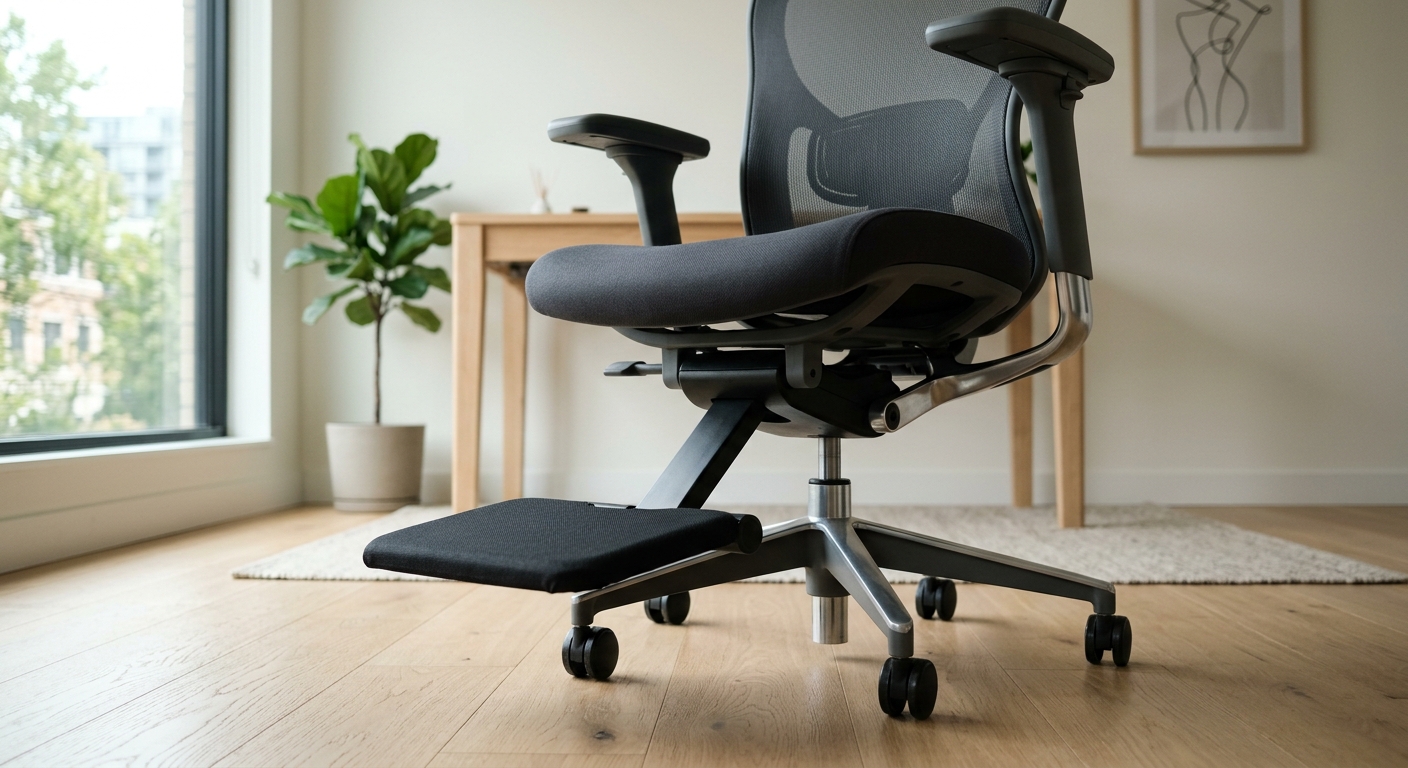
The recline tension knob — usually a round dial under the front of the seat — controls spring resistance, and it’s almost never set correctly out of the box. Manufacturers ship chairs with a mid-range default tension calibrated for an average body weight, often around 165-180 lbs. If you weigh less, the chair will feel like it’s trying to catapult you forward every time you lean back. If you weigh more, you’ll have to fight the spring just to recline at all.
Turning that knob isn’t optional fine-tuning — it’s a required calibration step, the same way you’d adjust seat height. We’ve covered this exact blind spot in more detail in Ergonomic Chair Adjustments Most People Never Touch, and it’s worth a five-minute read if your chair has never felt quite right despite being “the good one” in the office.
Lockout Positions: Recline as a Feature, Not Just a Reward
Most quality mechanisms include a multi-position lock lever that lets you freeze the chair at a specific angle rather than leaving it in free-float mode. This isn’t a luxury add-on — it’s functionally important for anyone who needs a stable upright position for typing but still wants the option to lock into a relaxed angle for phone calls or reading.
Cheaper mechanisms only offer two states: fully upright and free-recline. Better ones give you 3 to 5 lockable positions across the full range. If your team spends significant chunks of the day on calls or in reading mode, that intermediate lock isn’t a nice-to-have — it’s the difference between a chair that adapts to the task and one that just wobbles.
Center-Tilt and Why It’s Fading Out of Task Seating
Center-tilt (or simple pivot) mechanisms are the oldest and cheapest design: one pivot point directly under the seat, seat and back moving as a single rigid unit at a 1:1 ratio. Lean back, and your whole body rotates around that center point — feet lift, thighs shift, and there’s no independent seat movement to compensate.
This design still shows up in budget conference and guest chairs, and honestly, that’s a fine use case — someone sitting for a 30-minute meeting doesn’t need sophisticated recline engineering. But putting a center-tilt mechanism into a primary task chair used 8 hours a day is a common cost-cutting mistake that shows up in complaint tickets six months later. If you’re specifying seating for a boardroom versus a workstation, the mechanism tier should differ — see our guide on choosing conference room chairs for where lower-tier mechanisms are actually appropriate.
Why Mechanism Failure Is the Most Common Warranty Claim
Ask any furniture dealer what breaks first on office chairs, and the answer is almost always the tilt mechanism — not the upholstery, not the frame. Springs fatigue after roughly 3-5 years of daily heavy use, connecting rods develop play, and the lock lever cams wear down until they stop catching cleanly. A chair that used to lock crisply starts to slip mid-recline, which is often mistaken for a gas cylinder problem when it’s actually the mechanism’s internal cam.
This is exactly the kind of failure pattern we broke down in Why Your Office Chair Squeaks, Sinks, or Tilts Wrong — and it’s also why mechanism quality should weigh heavily in any bulk procurement decision, not just seat foam and fabric. A $50 savings per chair on a cheap mechanism often turns into a full chair replacement at year three instead of year eight.
Matching Mechanism to Role: A Practical Framework
Stop picking mechanisms by price point alone — match them to how the seat actually gets used. Here’s a straightforward way to think about it:
- Reception and guest seating: Center-tilt or fixed-back is fine. Recline sophistication is wasted on 10-minute sits.
- Standard workstation task chairs: Synchro-tilt with adjustable tension and at least 3 lock positions. This is the sweet spot for cost versus function.
- Focused deep-work roles (developers, analysts, designers): Knee-tilt if budget allows — the foot stability pays off over long sessions.
- Executive and conference seating: Synchro-tilt with a higher back ratio (2.5:1 or 3:1) for a more formal, controlled recline feel.
This kind of tiered thinking is central to how we approach bulk fit-outs — our office furniture solutions page breaks down how mechanism specs get matched to department-level needs rather than applying one chair spec company-wide.


