
Sit-Stand Desk Procurement Checklist for Office Managers (2026)
- 26 May, 2026
- Guides

A defensible sit-stand desk procurement decision in 2026 comes down to seven things: motor configuration, load capacity under real-world loads, BIFMA/ANSI compliance, warranty scope (not just length), anti-collision safety, cable and power management, and total landed cost per seat. Get those right and you avoid the two most common procurement failures — desks that wobble at standing height within 18 months, and warranty claims that quietly exclude the motor or controller. This checklist walks through each item with the specs and contract language to look for before you sign the PO.
Start With Usage Data, Not Catalog Pages
Before requesting a single quote, pull three numbers: how many hours per day the average employee is at their desk, what equipment sits on top (monitor count, weight, dock, lamp), and how often people actually transition between sitting and standing. If your team averages fewer than two transitions a day, a premium dual-motor frame is overkill — a mid-tier unit will do.
For instance, a 120-person fintech office we worked with logged their pilot group for six weeks and found 68% of staff transitioned 3–5 times daily but only 12% exceeded 40 lbs of desktop load. That data killed a $140,000 proposal for heavy-duty tri-motor desks and redirected budget toward better task chairs — a bigger productivity win for the same spend.
If you skip this step, you're procuring based on brochure aspirations rather than actual workflow. That's how offices end up with 300 premium desks used like static tables.

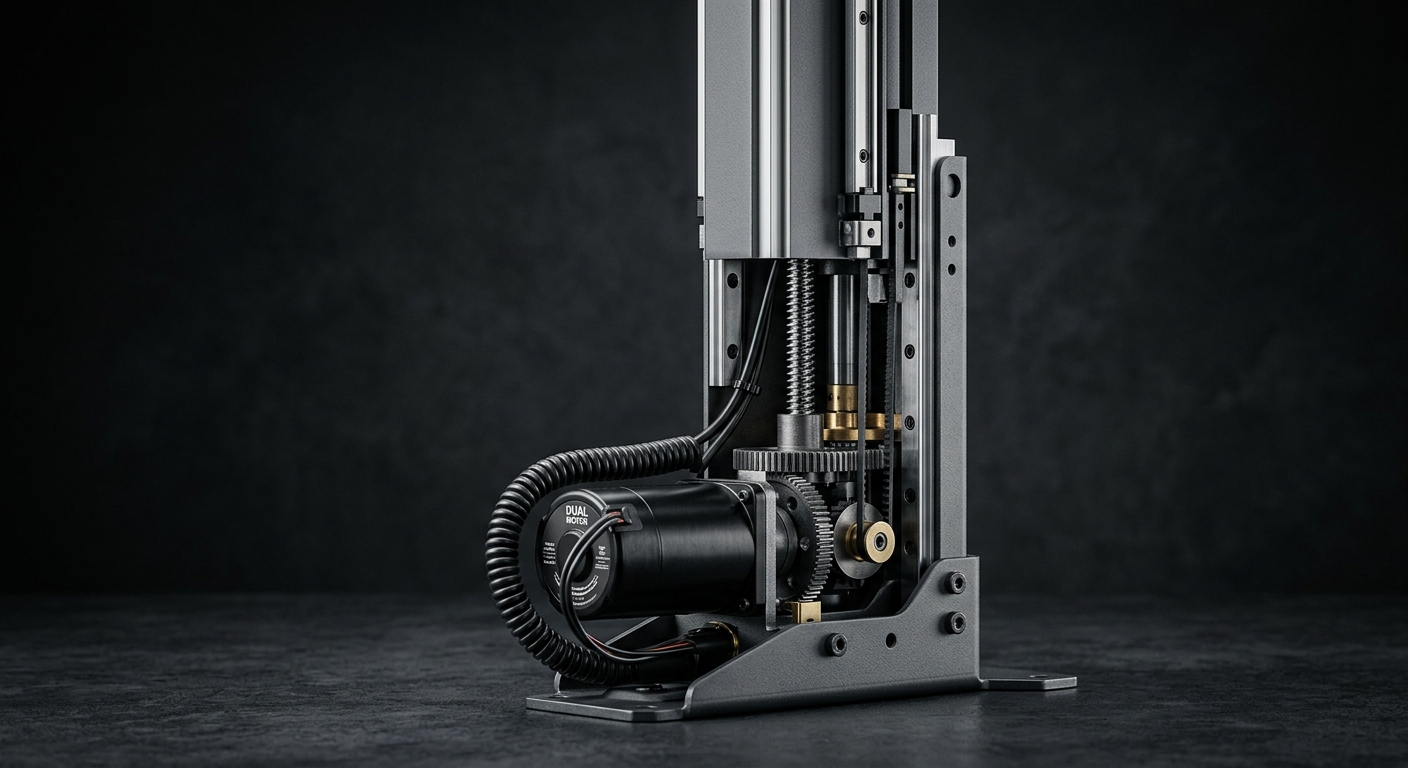
Motor Configuration: Why Dual-Motor Is the Default in 2026
Single-motor desks are cheaper for a reason — one motor drives both legs through a crossbar, which introduces lateral play and uneven wear. For office deployments, dual-motor (one motor per leg) is now the sensible baseline. You get faster lift speeds (1.5–2.3 inches per second versus ~1.0), quieter operation under 50 dB, and noticeably better stability at full extension.
When tri-motor actually earns its price
Tri-motor frames make sense for L-shaped executive setups or desks supporting 4+ monitors with heavy arms. Anywhere you'd otherwise see a third leg flex under asymmetric load, the third motor keeps the surface level. For standard 60" x 30" workstations, it's spec inflation.
Red flag in the datasheet
If the spec sheet lists “dual motor” but only one controller input, ask for a wiring diagram. Some low-cost manufacturers daisy-chain two motors off a single signal line, which defeats the redundancy that makes dual-motor worth buying.
Load Capacity: Test the Rated Number, Then Halve It
Manufacturers quote load capacity in ideal conditions — evenly distributed weight, fresh motors, room temperature. Real offices don't work that way. A monitor arm mounted at the back edge creates leverage that multiplies effective load by 1.5–2x. A 220 lb rating in the spec sheet realistically means 110–140 lbs of safe daily load.
For procurement contracts, ask for the tested dynamic load (what the desk can lift through its full range) rather than static load (what it can hold without moving). The difference matters: a frame rated 330 lbs static might only lift 200 lbs dynamically, and motors burn out fastest when they're being asked to lift near their ceiling every day.
- Standard workstation: specify 220 lb dynamic minimum
- Developer/engineering desk (3+ monitors): 264 lb dynamic
- Executive L-shape or trading desk: 330 lb dynamic
Compliance, Safety, and the Certifications That Actually Matter
For corporate procurement in 2026, three certifications should be non-negotiable: BIFMA G1-2024 (ergonomic guidelines for height-adjustable desks), UL 962 (household and commercial furnishings safety), and either GREENGUARD Gold or equivalent low-emission certification for the laminate and edge banding. If you're procuring for a LEED or WELL-certified building, GREENGUARD isn't optional.
Anti-collision: Level 2 minimum
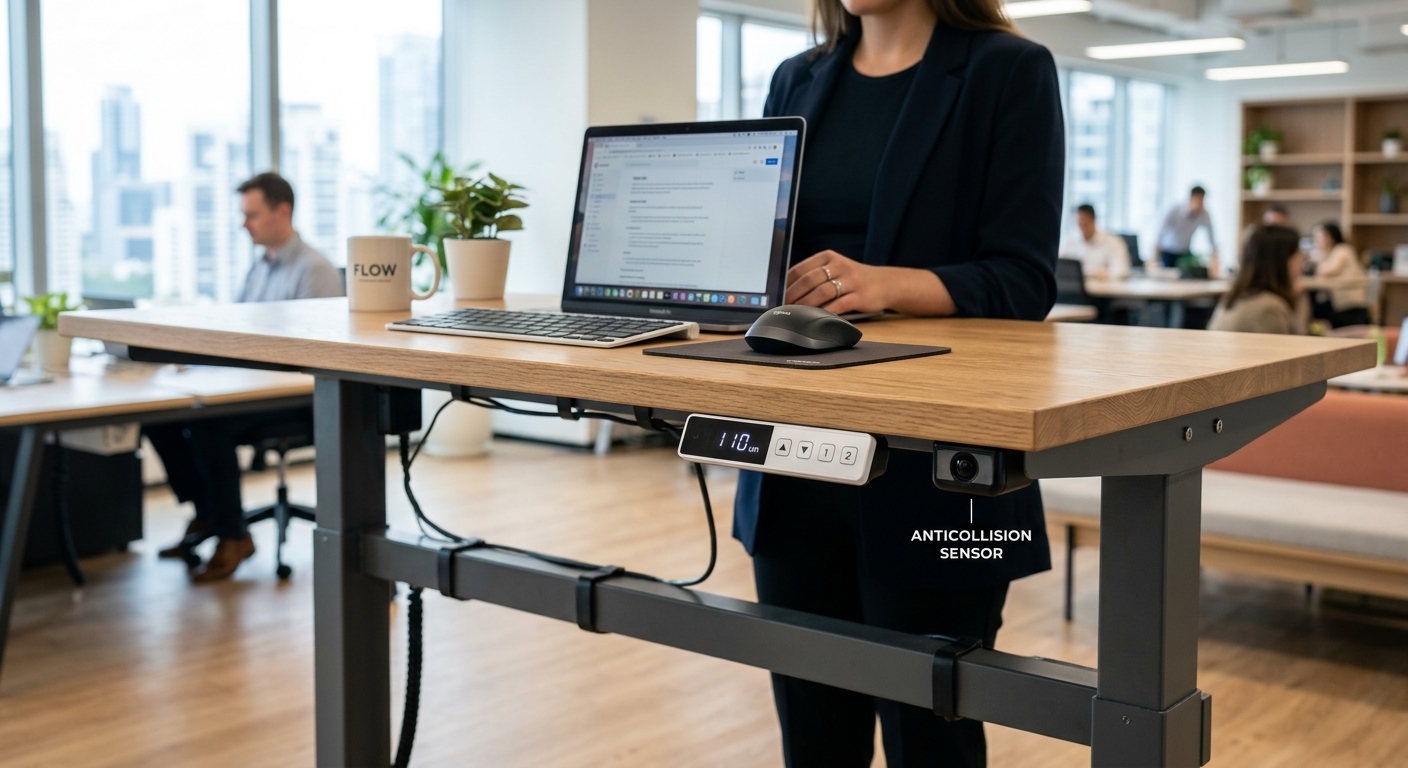
Basic anti-collision (Level 1) only detects resistance on the way down. Level 2 detects in both directions using accelerometers and reverses motion within 10mm. This matters if desks sit near filing cabinets, under shelves, or adjacent to wall-mounted equipment. One pinched monitor arm costs more than the upgrade across 50 desks.
For health-conscious buyers, pair compliance review with the broader material questions covered in our guide to non-toxic office furniture — formaldehyde emissions from the desktop often get ignored in sit-stand specs.
Warranty Scope: Read the Exclusions, Not the Headline
A “10-year warranty” sounds reassuring until you read what's covered. The frame almost always is. The motor, controller, and handset — the parts that actually fail — often carry separate, shorter terms. Here's the breakdown you want in writing:
- Frame: 10–15 years
- Motors: 5 years minimum (3 years is a red flag in 2026)
- Controller & handset: 5 years
- Desktop surface: 5 years against delamination
Also confirm whether the warranty is on-site replacement or ship-back. For a 200-desk deployment, ship-back warranty means your ops team becomes the freight department every time a motor fails. Negotiate on-site service into the MSA — most vendors will agree at the 50+ unit threshold.
Sizing and Range: Fit the 5th to 95th Percentile
A desk that only adjusts from 28" to 47" excludes roughly 15% of the adult working population at one extreme or the other. Specify a height range of at least 23.6" to 49.2" (600–1250mm). That covers a 5th-percentile female seated at 23.6" up to a 95th-percentile male standing at 49.2" with elbows at 90 degrees.
For desktop size, the common dimensions — 48", 60", and 72" widths at 30" depth — work for most roles, but engineering, design, and finance staff with dual 32" monitors need 72" x 30" minimum. Our full breakdown of common desk sizes and dimensions is worth consulting before you standardize on a single SKU across all roles.
Memory presets
Four presets is standard. Two is fine for shared hot desks where users don't own a preset. Skip handsets without a digital readout — employees need to see their target height, not guess.
Cable Management and Power: The Detail That Kills Pilots
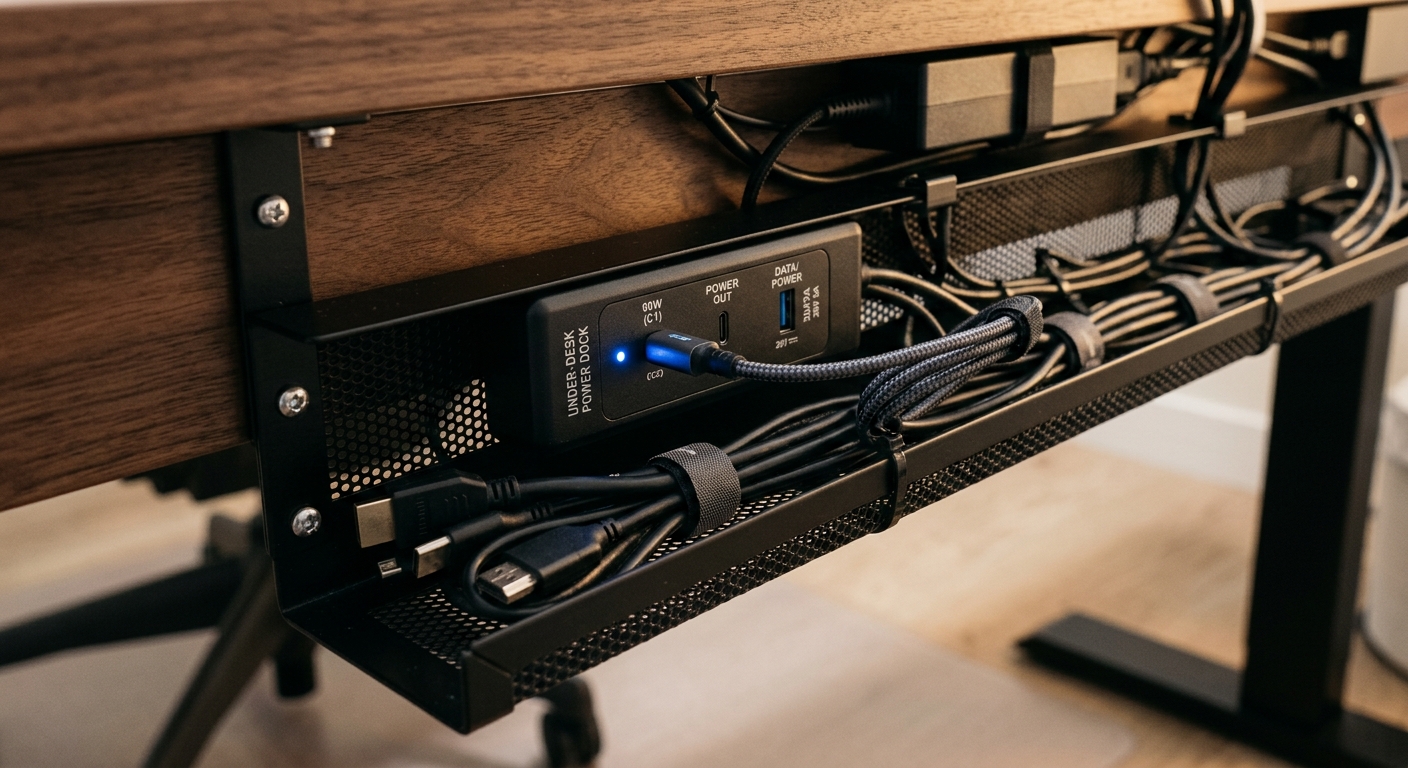
The number one complaint six weeks after a sit-stand rollout isn't the desks — it's the cables. Power cords that unplug when the desk rises. Network cables that bind. Monitor cables that snag on the crossbar. Procure desks with integrated cable trays (wire mesh, not plastic clips) and specify a minimum 6-foot service loop on all power and data.
For power, grommet-mounted USB-C PD outlets (65W minimum) now cost about $40 per desk and eliminate the rat's nest of brick chargers. If your IT team is standardizing on USB-C laptops, this is a one-time spec change with a multi-year payoff.
Coordinate this with your broader workspace planning — if you're also rethinking layouts, the principles in space optimization affect cable routing more than most managers realize.
Total Landed Cost: The Math Procurement Teams Miss
Unit price is maybe 60% of the real cost per seat. A proper TCO calculation for a 100-desk order should include:
- Freight: $40–$90 per desk (varies by origin, port, fuel surcharges in 2026)
- Customs & duties: 0–25% depending on country of origin and HS code
- Warehousing & staging: $15–$30 per desk if not direct-to-site
- Installation: $80–$150 per desk (more for complex L-shapes)
- Disposal of existing desks: $25–$60 per unit
- Expected failure replacement (Year 1–5): budget 3–5% of unit cost annually
A $380 FOB desk can easily land at $620 installed. When comparing vendors, demand landed-cost quotes in writing, DDP terms, and a guaranteed install date window. Vendors that won't quote DDP are transferring logistics risk to you.
Pilot Program Before Full Rollout
For any order over 50 desks, run a 4–6 week pilot with 8–12 units across different user profiles. Measure three things: noise complaints from adjacent workstations, transition frequency (via the handset log if supported), and service tickets.
A marketing agency we supplied in early 2026 piloted 10 desks across three floors and caught a motor harmonic issue that only showed up when three desks on the same workstation cluster were rising simultaneously — something no spec sheet would have flagged. The vendor redesigned the motor phasing before the 180-unit order shipped. That pilot paid for itself fifty times over.
If a vendor won't provide pilot units (refundable or credited against the final PO), that tells you something about their confidence in the product.
Putting the Checklist to Work
A tight procurement process for sit-stand desks in 2026 looks like this: collect usage data, specify dual-motor with 220+ lb dynamic load, demand BIFMA G1-2024 and Level 2 anti-collision, read the warranty exclusions, size for the 5th–95th percentile, engineer cable management into the spec (not as an afterthought), calculate true landed cost, and pilot before committing. Do those nine things and you'll spend 10–15% more on paper than the lowest bid — and materially less across a five-year horizon.
If you're scoping a deployment and want specs benchmarked against what's actually shipping in corporate accounts this year, the team at vision-furniture can provide sample units, landed-cost quotes, and reference installations. For broader context on how sit-stand infrastructure fits into workplace health outcomes, our analysis of standing desks, productivity, and health is a useful companion read before you finalize the spec.


