
How to Choose the Right Office Chair for 8+ Hour Workdays: A 2026 Buyer’s Guide
- 29 May, 2026
- Guides
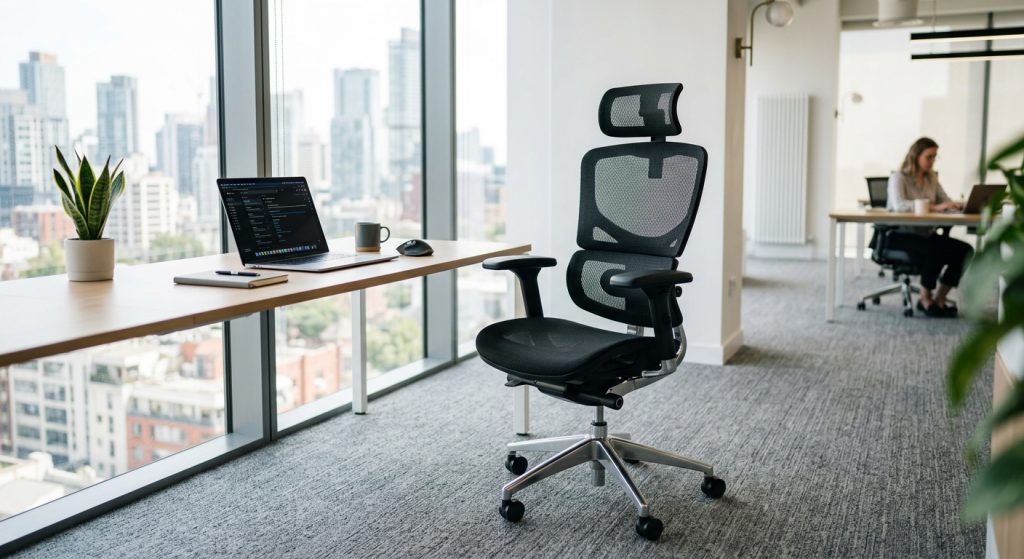
If you sit for 8+ hours a day, the right office chair is one with a synchronous tilt mechanism, adjustable lumbar support, a seat pan that slides forward and back, 4D armrests, and a breathable mesh or high-density foam back — typically in the $400–$900 range for serious daily use. Anything less than that skips adjustments your spine will start demanding within a month. Below, we break down exactly which specs matter, which are marketing fluff, and how to match a chair to the way you actually work.
Start With the Mechanism, Not the Looks
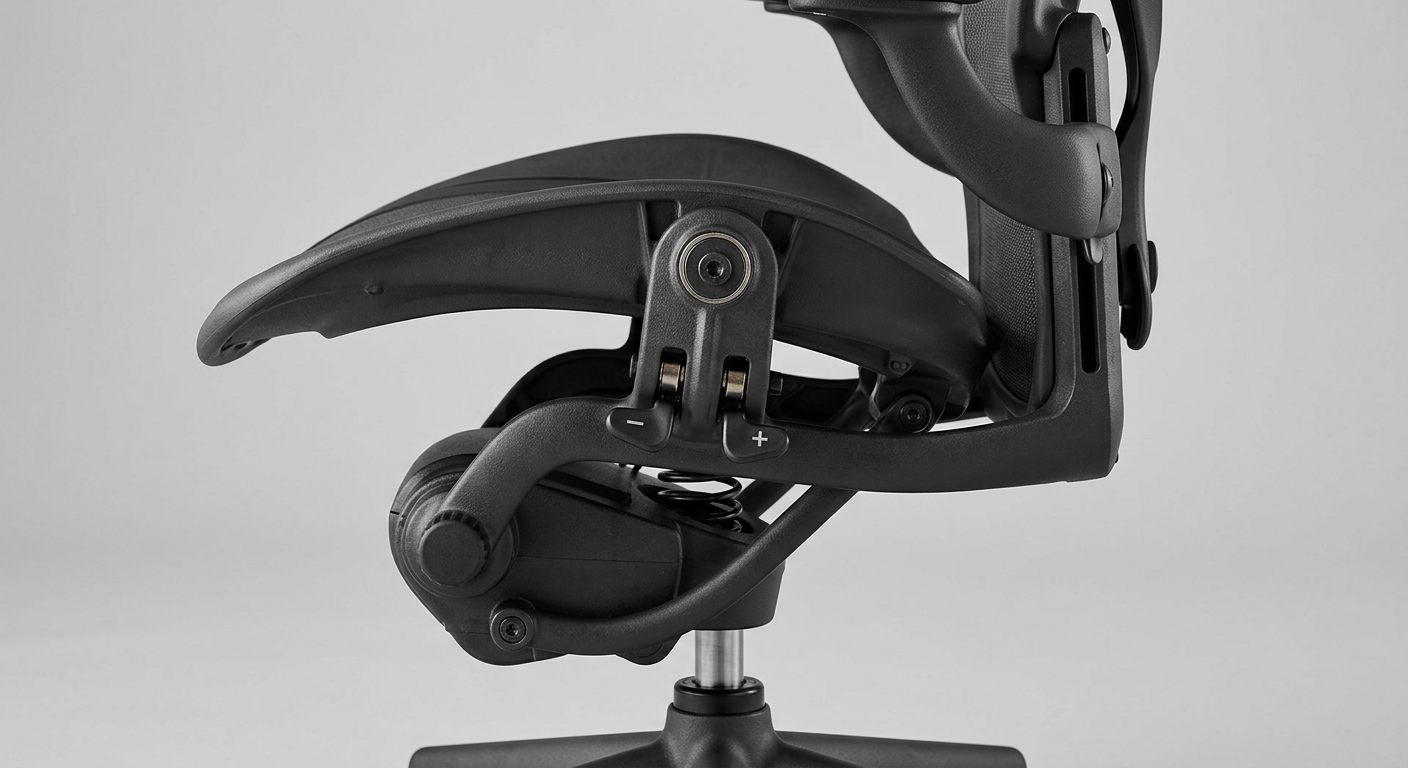
The single most overlooked spec on any chair spec sheet is the tilt mechanism. It determines how your body moves throughout the day — and whether you'll feel fused to the chair by 4 p.m.
Here's the hierarchy, from worst to best for long days:
- Basic tilt — the whole seat tips back as one unit. Fine for meeting rooms, brutal for 8 hours.
- Knee-tilt — pivot point is closer to your knees, so your feet stay planted. Better, but still limited.
- Synchronous tilt (2:1 ratio) — the back reclines roughly twice as fast as the seat. This is the minimum you should accept for full-day use.
- Self-weighing / auto-tension — the chair adjusts recline resistance to your body weight automatically. A premium feature, and genuinely worth it.
For example, a software team we outfitted switched from basic-tilt task chairs to synchronous-tilt ergonomic chairs and reported noticeably fewer complaints about lower back stiffness within the first month. The chairs weren't dramatically more expensive — about $180 more per unit — but the mechanism difference was night and day.
Lumbar Support: Adjustable Beats “Built-In” Every Time
Fixed lumbar curves are designed for an average spine that doesn't exist. If you're under 5'4” or over 6'1”, a non-adjustable lumbar bump will likely land in the wrong place on your back — either poking your mid-back or missing the curve of your lower spine entirely.
What to look for
- Height-adjustable lumbar — minimum 3” of vertical travel.
- Depth-adjustable lumbar — lets you dial in how aggressively it pushes into your lower back.
- Dynamic lumbar — follows your spine as you recline. Found on higher-end chairs.
A quick field test: sit in the chair, close your eyes, and have someone press their thumb into the small of your back. That's where the lumbar support should land — typically 6–10” above the seat pan, depending on your torso length.
Seat Pan Geometry — Where Most Chairs Fail
The seat pan is where cheap chairs show their true cost. A too-deep pan forces you to either slouch or perch — both destroy your posture within hours.
The three measurements that matter
- Depth: You should have 2–3 fingers of space between the back of your knees and the front edge of the seat. A sliding seat pan (3–4” of travel) is essential if you share the chair or fall outside average height.
- Width: 19–20” suits most users; 21–22” for larger frames. Too wide and armrests sit too far out.
- Waterfall front edge: Non-negotiable. It relieves pressure on the back of your thighs and keeps circulation flowing to your legs.
Foam density is the hidden spec. Look for molded cold-cure foam at 50–65 kg/m³ density. Cheaper chairs use cut foam at 28–35 kg/m³ — it compresses permanently within a year and you end up sitting on the hard shell underneath.
Mesh vs. Foam-Padded vs. Leather: The Real Differences
This is where taste, climate, and job role collide. There is no universal winner — but there are wrong choices for specific situations.
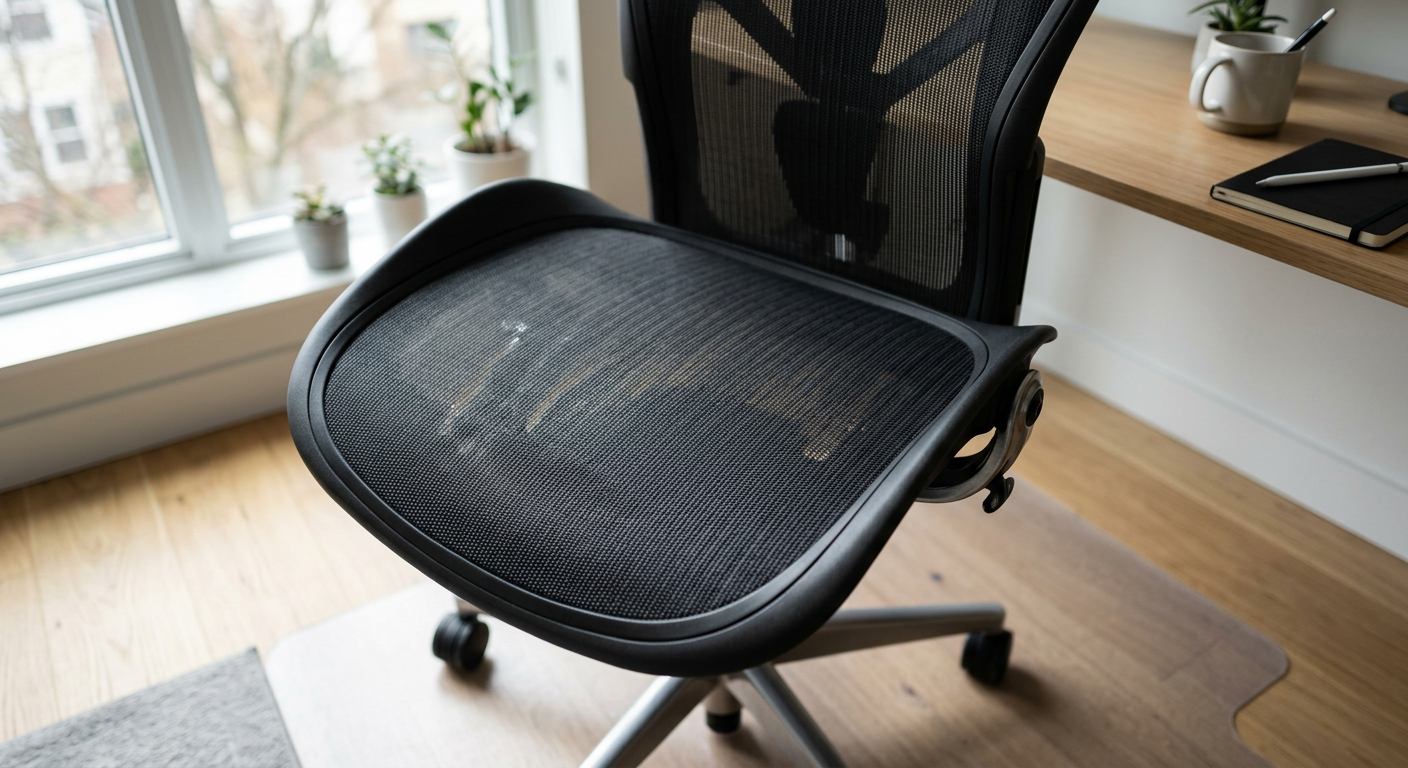
Mesh wins for pure ergonomics in most environments. It distributes pressure, breathes well, and conforms to your spine without the foam-compression issue. The caveat: cheap mesh sags within 18 months. You want elastomeric mesh or a high-tension polymer weave — not stretched nylon.
Leather and padded chairs look the part in client-facing settings. A CEO office design benefits from the visual weight of leather — but if that CEO is actually working at the desk 10 hours a day, pair the leather look with mesh-back ergonomics somewhere in the room.
See the comparison table above for a side-by-side breakdown.
Armrests: 4D or Don't Bother
Armrests are the most abused component in any office. People lean on them, type with them too high, or remove them entirely. The fix isn't removing them — it's getting ones that actually adjust.
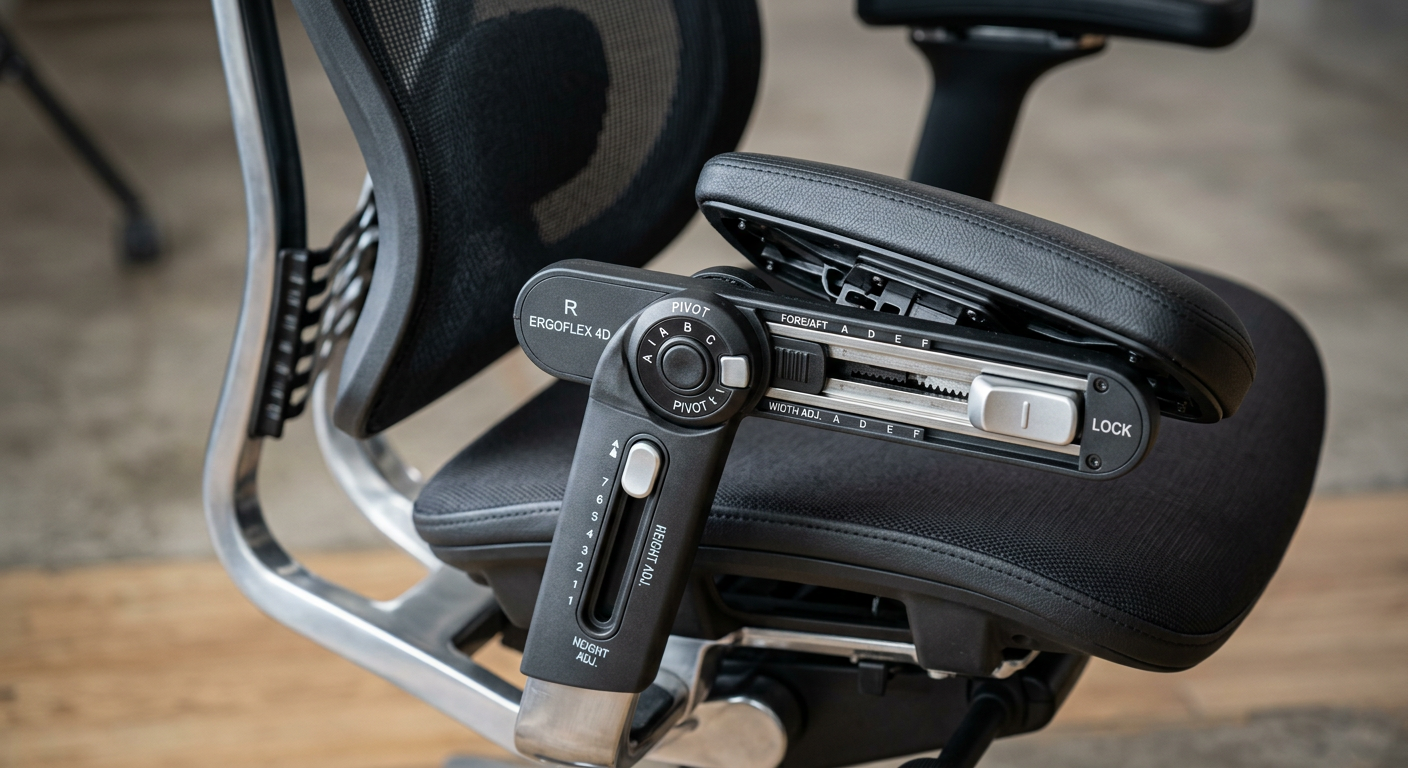
What 4D means
- Height — vertical adjustment, typically 4” of range.
- Width — slide in/out to match shoulder width.
- Depth — slide forward/back to support forearms while typing.
- Pivot — rotate inward/outward for keyboard or tablet work.
Fixed armrests force your shoulders into one position for 8 hours. That's how shoulder impingement and tension headaches start. If the chair only offers 2D (height + width), keep looking — 4D has become standard at the $500+ tier in 2026.
Match the Chair to the Work — Not Just the Worker
Different roles need different chairs. This is where buyers commonly overspend or underspend.
Heads-down focus work (developers, writers, analysts)
Mesh back, deep recline (at least 120°), headrest optional but useful, strong lumbar. These users sit still for long stretches, so heat buildup matters. Pair with a sit-stand desk — see our desk sizing guide for matching dimensions.
Call center / customer support
Durable fabric or mesh, 24/7-rated mechanism (important — most chairs are rated for 8-hour use, not continuous shift work), cleanable surfaces, reinforced casters.
Creative / collaborative roles
More movement-friendly designs, swivel performance, lighter chairs that move between zones. These teams benefit from the kind of environment covered in office furniture and employee creativity.
Executive / client-facing
Here aesthetics matter, but don't sacrifice lumbar adjustment. The worst executive chairs are expensive leather thrones with zero ergonomic adjustment.
For example, a regional accounting firm we worked with bought premium leather chairs for their partners — beautiful, but three of the four partners complained of back pain within six months. They swapped to a hybrid line (leather-trimmed with mesh lumbar and full adjustability) and the complaints stopped.

Warranty, Certifications, and the 12-Year Math
A $200 chair replaced every 2 years costs more than a $750 chair that lasts 10. It's simple math that somehow still gets ignored.
Certifications that actually mean something
- BIFMA X5.1 — the structural durability standard for office chairs. Demand it.
- GREENGUARD Gold — low chemical emissions. Matters for indoor air quality.
- EN 1335 — European ergonomic office chair standard.
Warranty red flags
Watch for warranties that cover the frame for 12 years but the mechanism for only 2. The mechanism is the part that fails. A serious chair has a 10- to 12-year warranty covering the mechanism, gas lift, and base. Anything less is the manufacturer telling you what they actually expect to fail.
Budget Tiers in 2026 — What You Actually Get
Price bands have shifted since 2023. Here's the honest breakdown for 2026:
- $150–$300: Entry-level task chairs. OK for 3–4 hour days, not 8+. Expect limited adjustments, foam degradation by year 2.
- $350–$600: The sweet spot for most offices. Synchronous tilt, 4D arms, adjustable lumbar, solid mesh. This is where you should be shopping for serious daily use.
- $700–$1,200: Premium ergonomics — dynamic lumbar, advanced mechanisms, premium materials, 12-year warranties. Worth it for high-salary employees where even a small productivity lift pays back fast.
- $1,500+: Flagship chairs (Aeron, Gesture, Leap class). Excellent, but diminishing returns vs. the $700 tier for most users.
If you're furnishing a whole office, bulk pricing changes the calculation — and custom specs become available. Our office furniture solutions team handles volume orders with fit-testing before committing, which is the smart way to buy 20+ chairs at once.
The 10-Minute In-Store Test (or 30-Day Home Trial)
Online reviews don't replace sitting in a chair. If you can test in person, here's the sequence:
- Sit with your feet flat. Adjust seat height until thighs are parallel to the floor.
- Slide the seat pan until 2–3 fingers fit behind your knees.
- Adjust lumbar height until it fills your lower back curve.
- Set armrests so your shoulders are relaxed — not shrugged, not sagging.
- Recline fully. Does the chair support you, or does it feel like you're fighting springs?
- Sit for 15 minutes minimum. Most discomfort appears after 10.
If buying online, insist on a 30-day return policy. A reputable seller will offer it. And for remote workers expensing chairs, it's worth reading our take on remote work productivity and furniture before picking a home-office model.
Putting It All Together
For 8+ hour days, the short list is straightforward: synchronous tilt, adjustable lumbar (height and depth), sliding seat pan with waterfall edge, 4D armrests, high-density foam or elastomeric mesh, BIFMA-certified, backed by a 10+ year warranty. Expect to spend $400–$900 per chair for something that will still be comfortable in year seven.
If you're outfitting a team, a workspace, or an entire floor, don't buy blind. Chair fit varies by body type and by role, and the cost of getting it wrong is measured in sick days and turnover. Our team at vision-furniture can help you sample models, negotiate volume pricing, and match chairs to real working conditions — get in touch or browse our product range to see what's available.


